
Guide to the Best Resume Formats of 2026

Trust Score: 4.8
387 reviews
Table of Contents
Whenever I sit down to build a resume, I’ve realized one thing: it has to be simple, easy on the eyes, and highlight the best things I bring to the table. There’s no point stuffing everything in what matters is presenting my strongest qualifications in a way that anyone can quickly understand.
So, in this guide, I’m walking through the resume formats that work best in 2026, how to pick the right one, what you should definitely include, and a few mistakes you should avoid because they trip up so many people.
The most common resume formats
Most people end up choosing from one of three styles: chronological, functional, or combination. Each comes with its own purpose, and I’ll break down how they work plus share free templates for each. After that, I’ll also touch on some additional formats that might fit specific situations even better.
Popular resume styles explained
Whenever you sit down to make a resume, the first confusion usually is: “How do I even structure this?”
It’s a valid question because the format you choose can make your strengths shine or get lost. Over time, three major resume styles have become the industry standard. They’re not complicated, but each one serves a different purpose depending on your career story.
Below is a simple, real-world breakdown of these formats, written the way I’d explain it to a friend who’s figuring out their resume for the first time.
Chronological resume
Edit and download this example of a python data analyst resume created using the Instaresume's Sun · Simple resume template (Free)

This is the format almost everyone has seen at least once. It puts your most recent job at the top and moves backward. Recruiters love it because it shows your growth, stability, and experience at a glance no detective work needed.
Use this format if you’ve been working consistently and your job titles naturally show progress. If you’ve stayed in the same industry or role for a while, this format basically does the selling for you.
What I personally like about this format:
 It feels clean and straightforward
- You don’t have to “explain” your story—the timeline does it
- It instantly shows if your experience matches the job
But one small catch: if you’ve taken breaks, switched careers suddenly, or your experience is scattered, this format makes those parts more visible. Not a dealbreaker, but something to keep in mind.
Functional resume
Edit and download this example of a High school student resume created using the Instaresume's Ice · Classic resume template (Free)
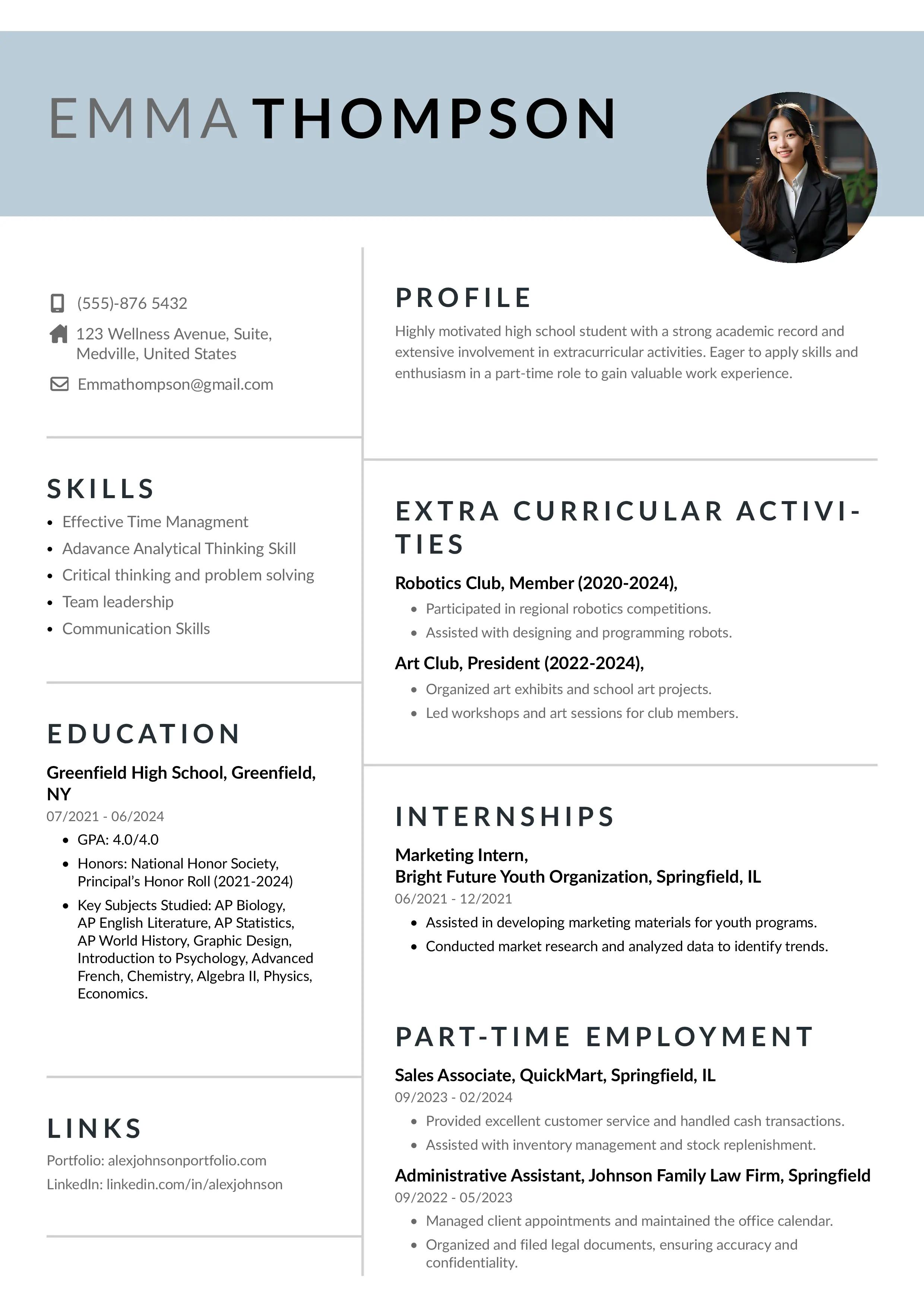
This one flips the usual structure completely. Instead of focusing on where you worked, it focuses on what you can do.
You start with your skills, accomplishments, and strengths, and only then list your job history in a very short, simple way.
People generally use this format when their skillset is stronger than their experience timeline. For example, if you’re switching from sales to digital marketing, or you learned data analysis through a course, this format lets you highlight what truly matters instead of relying on your previous job titles.
Why this format works well for some people:
- It brings your strengths forward
- It hides gaps or unrelated job roles
- It’s great when your experience isn’t “traditional” for the job you want
Just note: some recruiters are not big fans because it hides dates. So it’s powerful but should be used wisely.
Combination (Hybrid) resume
Edit and download this example of a bartender resume created using the Instaresume's Everest · Combined resume template.
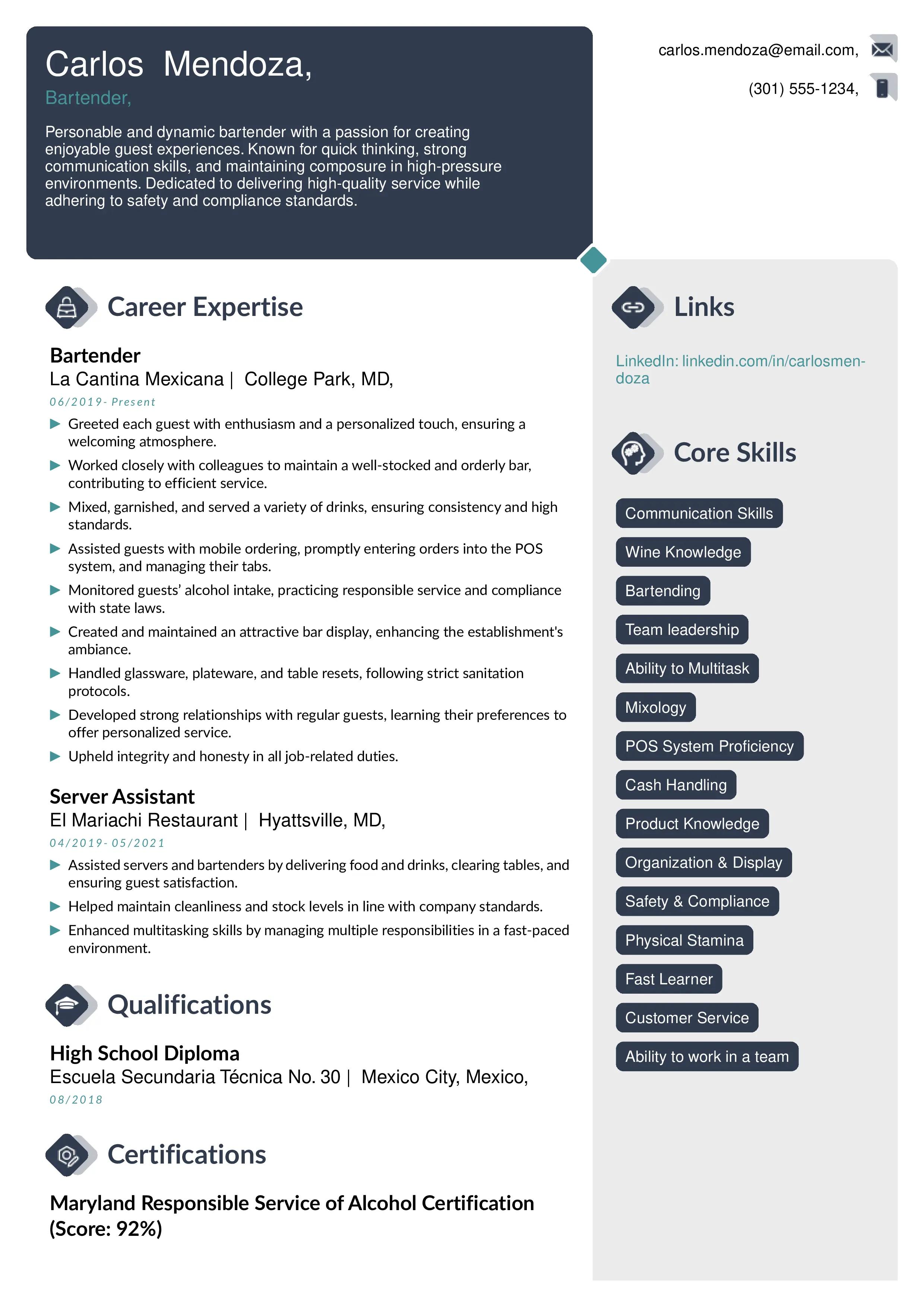
Think of this as the middle ground neither too timeline-heavy nor too skills-heavy.
The hybrid format lets you put your top skills, achievements, or a small summary right at the beginning. Then you follow it with a normal chronological work history.
This format is honestly one of the most flexible ones, especially if you’re mid-level or senior and you want to show a mix of strong skills and solid experience.
When this format shines the most:
- You have achievements worth highlighting at the top
- You want your job history visible but not the only focus
- You’re applying for roles where both skills and experience matter equally
Most people feel comfortable with this because it’s structured but still lets you tell your story the way you want.
Lesser known but useful resume layouts
While most people stick to chronological, functional, or combination layouts, there are a few additional formats that deserve attention especially if you’re in a niche field or at a very specific stage in your career. These formats are simple, practical, and solve very real problems that many job seekers face. Here’s how each one works in real life, along with examples to make it easier to understand.
ATS-friendly resume
Edit and download this example of a entry level accounting resume created using the Instaresume's Cloud : Academic CV template.
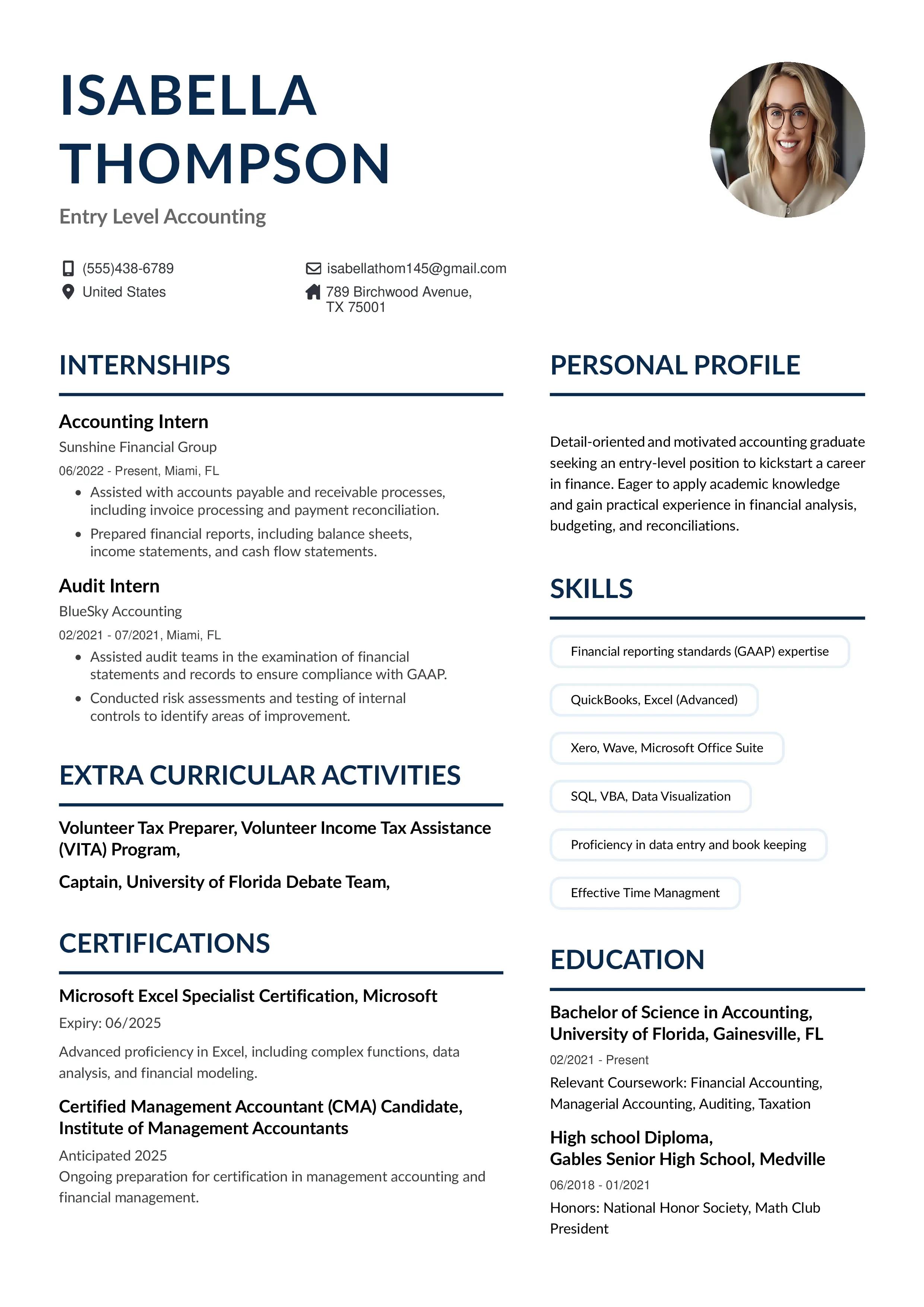
If you’re applying through online portals or company websites, there’s a high chance your resume will be scanned by an Applicant Tracking System (ATS) before a human ever sees it. An ATS-friendly format is designed to make sure your resume gets “read” correctly.
What makes it ATS-friendly:
- Clean layout without fancy columns or graphics
- Standard section headings like “Work Experience” or “Education”
- Simple fonts like Arial, Calibri, or Times New Roman
- Keywords from the job description naturally placed in your content
Example:
If you’re applying for a Digital Marketing Executive role, an ATS-friendly resume would include keywords like:
- “SEO optimization”
- “Google Analytics”
- “Content strategy”
- “Lead generation”
These aren’t added randomly they appear within your achievements or experience, so the system identifies you as a relevant match.
When to use this:
- When applying to MNCs, government jobs, tech companies, or any role with multiple applicants
- When you want your resume to pass the first screening without formatting issues
Academic CV
An academic CV is not your typical resume it’s longer, more detailed, and focused on achievements beyond job titles. This format works in fields where your intellectual contributions matter more than your work timeline.
What it typically includes:
- Research papers and publications
- Conference talks or presentations
- Thesis or dissertations
- Academic awards
- Professional memberships
- Teaching experience
- Research grants or scholarships
Example:
If you're a PhD applicant, your CV may include:
- “Published research: 3 papers in international journals”
- “Presented at the Neuroscience Summit 2024”
- “Teaching Assistant: Psychology 101 – conducted tutorials for 70+ students”
This format is perfect when your academic journey tells your story better than corporate job roles.
Entry level resume
Edit and download this registered nurse resume example created using the Instaresume's creative resume template.
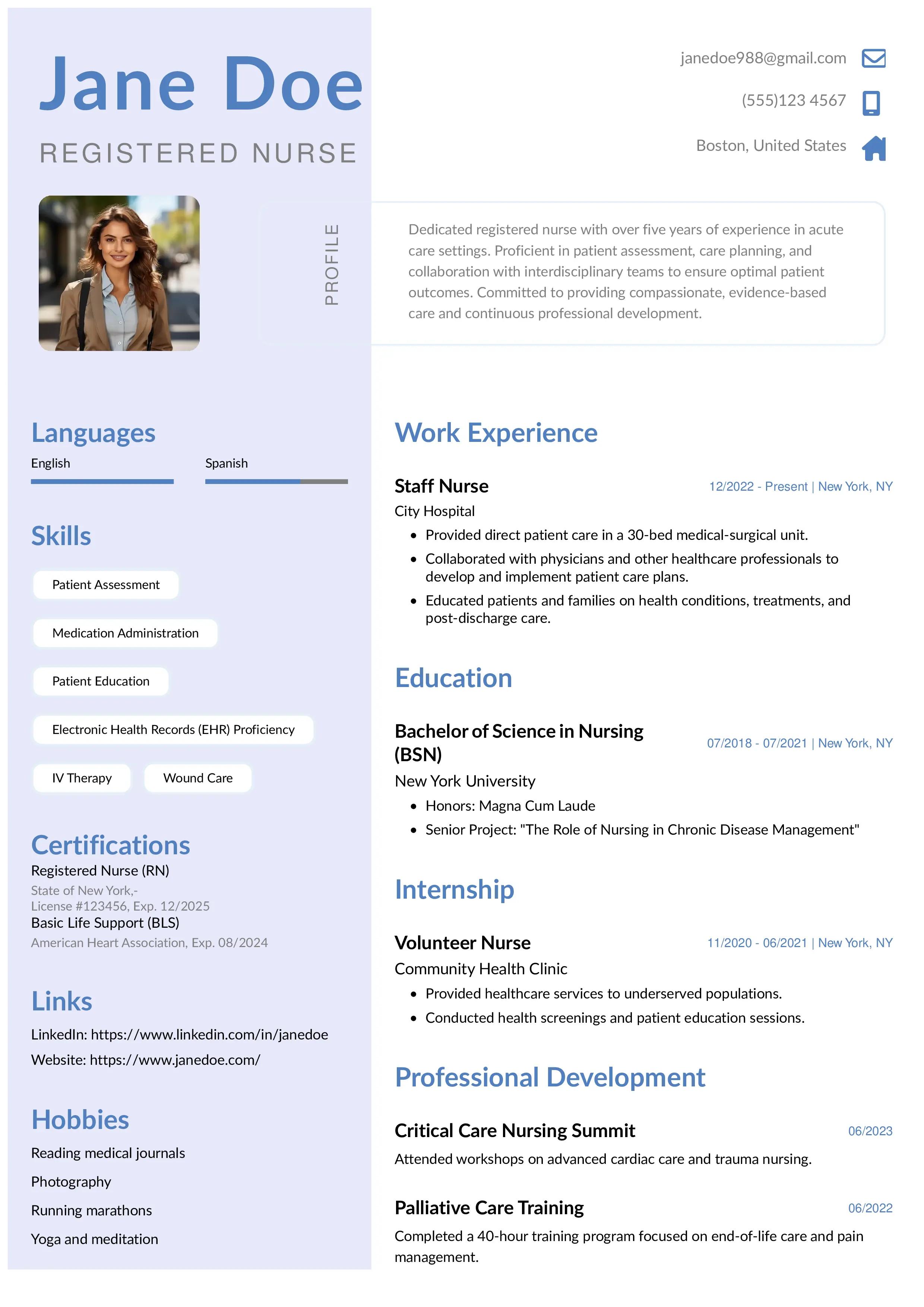
An entry-level resume is built for people who don’t have much work experience yet. Instead of focusing on job history (because there isn’t much), this format highlights skills, education, internships, volunteer work, and academic projects.
Common sections include:
- Career objective or summary
- Relevant coursework
- Academic achievements
- Projects or case studies
- Part-time jobs or internships
Example:
If you're a PhD applicant, your CV may include:
- “Published research: 3 papers in international journals”
- “Presented at the Neuroscience Summit 2024”
- “Teaching Assistant: Psychology 101 – conducted tutorials for 70+ students”
This format helps freshers look confident and job-ready even without years of experience.
Experienced resume
Edit and download this example of a Sales executive resume created using the Instaresume's Everest · Combined resume template.
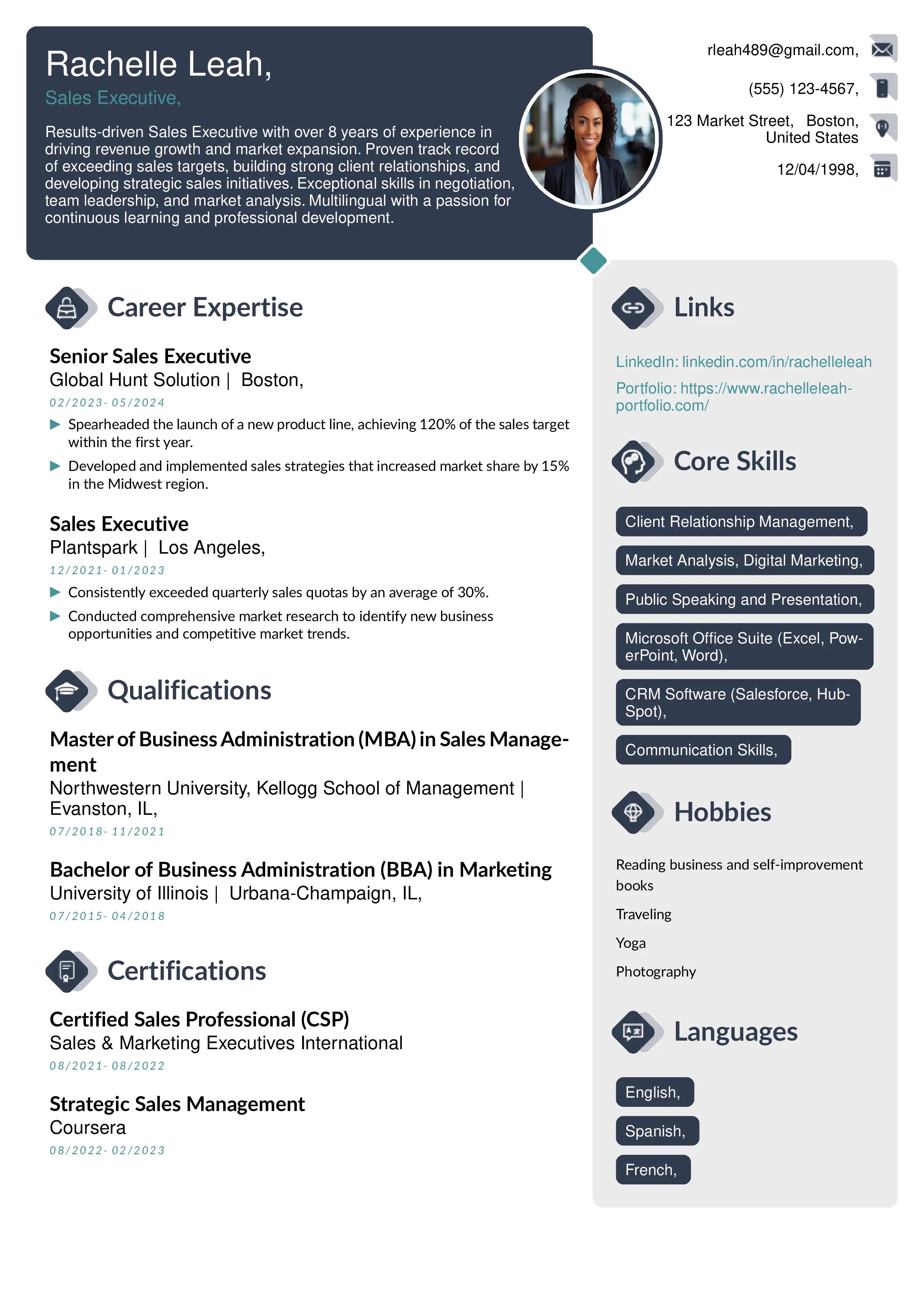
This format works best for mid- to senior-level professionals who need to show depth, achievements, and long-term contributions. It focuses heavily on results rather than just responsibilities.
What it highlights:
- Key achievements in every role
- Leadership experience
- High-impact metrics
- Tools, technologies, and systems mastered
- Career progression across years
Example:
A Senior Operations Manager might include:
- “Led a team of 55 across two locations, improving process efficiency by 23%”
- “Reduced operational errors by 40% through workflow automation”
- “Managed budgets up to ₹8 crore annually”
This format helps experienced candidates show the real impact they’ve created in their careers.
How to pick the resume format that fits your profile
Choosing the right resume format isn’t about following trends it’s about understanding your career story and presenting it in the clearest, strongest way possible. Different people have different strengths, so the “best” format is the one that highlights yours.
Here’s a practical guide to help you decide, along with examples you can relate to.
If you’re a fresher or entry-level candidate
Here's an example for sales representative resume with the help of which we will try to understand how to write all the sections of the resume, It was created using Night- Black and white resume template
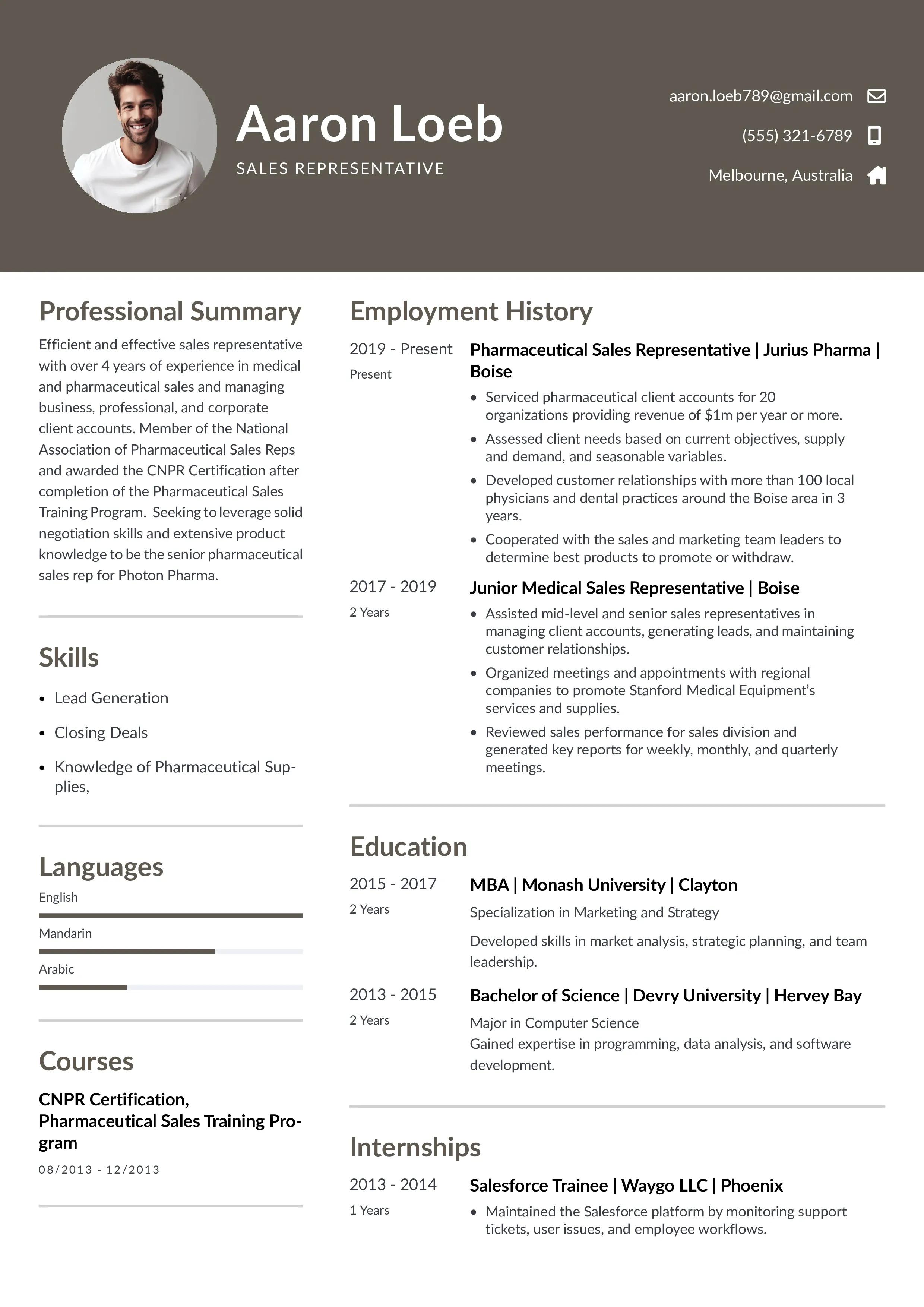
You have limited work experience, but you do have skills, academic projects, internships, or certifications.
The best pick: Entry-level or functional format
This helps you bring your skills forward instead of relying on job history. It allows recruiters to quickly see what you’re capable of, especially if your experience is limited or spread across different roles. This approach is particularly useful for freshers, career changers, or professionals returning to the workforce, as it highlights strengths and competencies over timelines.
Examples:
- A BCA student applying for a software job highlights: coding projects, GitHub links, and internships.
- A B.Com student applying for a finance job showcases: Excel certification, academic projects, and practical coursework.
Choose this if:
- You’re making your first resume
- Most of your experience comes from projects, courses, or volunteering
- You want to hide the fact that you don’t have formal job experience yet
If you’re switching careers
Edit and download this example of switching career resume created using the Instaresume's Everest · Combined resume template.
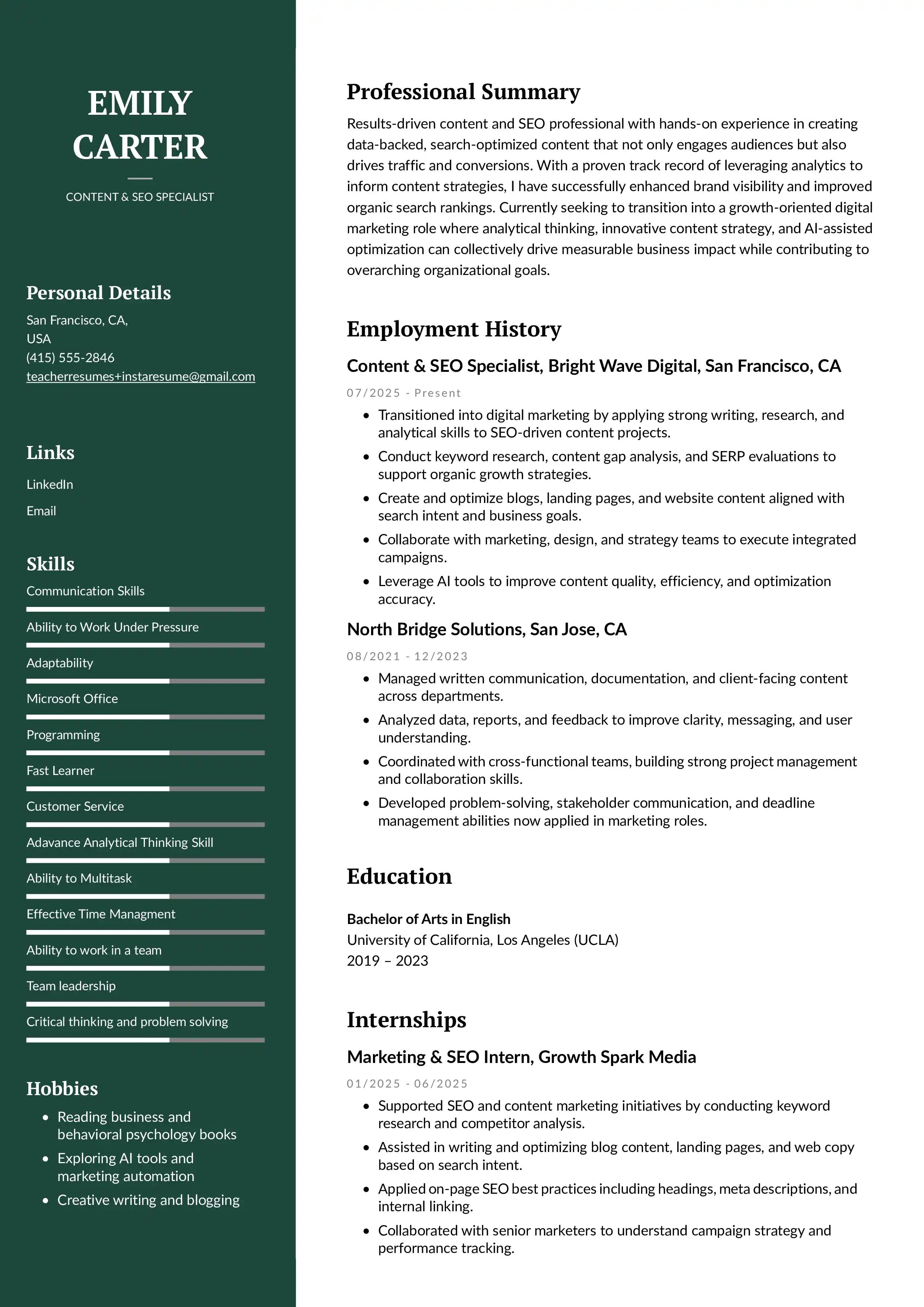
You have experience, but not in the field you’re trying to enter.
The best pick: Functional or combination format
This puts the spotlight on transferable skills instead of unrelated job titles. It allows recruiters to quickly see what you can actually do, regardless of where you’ve worked before. This approach is especially helpful for career changers, freshers, or professionals with diverse experience, as it aligns your strengths with the role rather than your past labels.
Examples:
- A teacher transitioning to HR highlights communication, training experience, and people management.
- A graphic designer moving into UI/UX lists design tools, user-centered design studies, and portfolio projects.
Choose this if:
- Your past job titles don’t match the roles you’re applying for
- You want recruiters to focus on your skills, not your previous field
- You have certifications or projects in the new career path
If you have a consistent work history
Sales resume example
Edit and download this example of a Sales executive resume created using the Instaresume's Everest · Combined resume template.
Steady growth with no big gaps? Perfect.
The best pick: Chronological format
This naturally shows your progress and stability. It gives recruiters a clear picture of how your responsibilities and expertise have grown over time. By presenting your career in a logical sequence, it also builds trust and makes your professional journey easy to follow.
Examples:
- A sales executive who grew from junior → senior → team lead.
- A developer with 4 years of experience across two companies, each role showing advancement.
Choose this if:
- Your work experience aligns with the role you want
- You’ve been in the same industry for a while
- Your titles clearly show career progression
If you have employment gaps
Graphic design artist resume example
Edit and download this example of a Graphic design artist resume created using the Instaresume's Water- Modern resume template
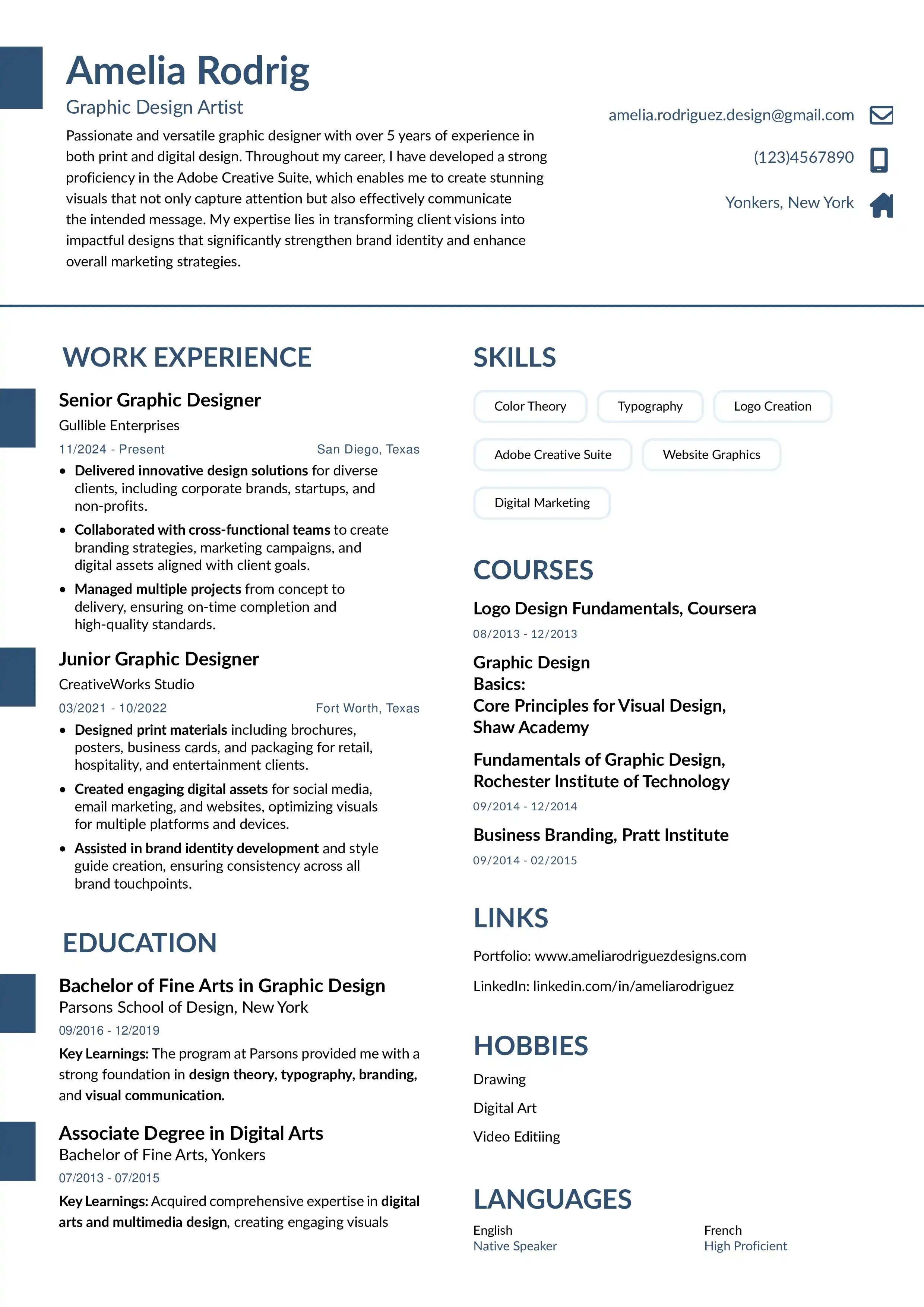
This can include taking a break for personal reasons, studies, travel, or health issues.
The best pick: Functional or combination format
These formats reduce the emphasis on dates and highlight strengths. They help shift attention toward your skills, achievements, and overall value rather than employment gaps or short tenures. This makes them a strong choice for candidates with non-linear career paths or varied experience.
Examples:
- Someone who took a 2-year break for post-graduation can focus on the skills and specialization gained.
- A parent who took time off for family responsibilities highlights freelance work, volunteer experience, or previous achievements.
Choose this if:
- You don’t want gaps to be the first thing recruiters see
- You have strong skills but a non-linear work history
- You want flexibility in how you present the timeline
If you’re a senior or experienced professional
Senior level project manager resume
Edit and download this example of a Senior level project manager resume created using the Instaresume's Forest · Two column resume template with side bar left · InstaResume.io
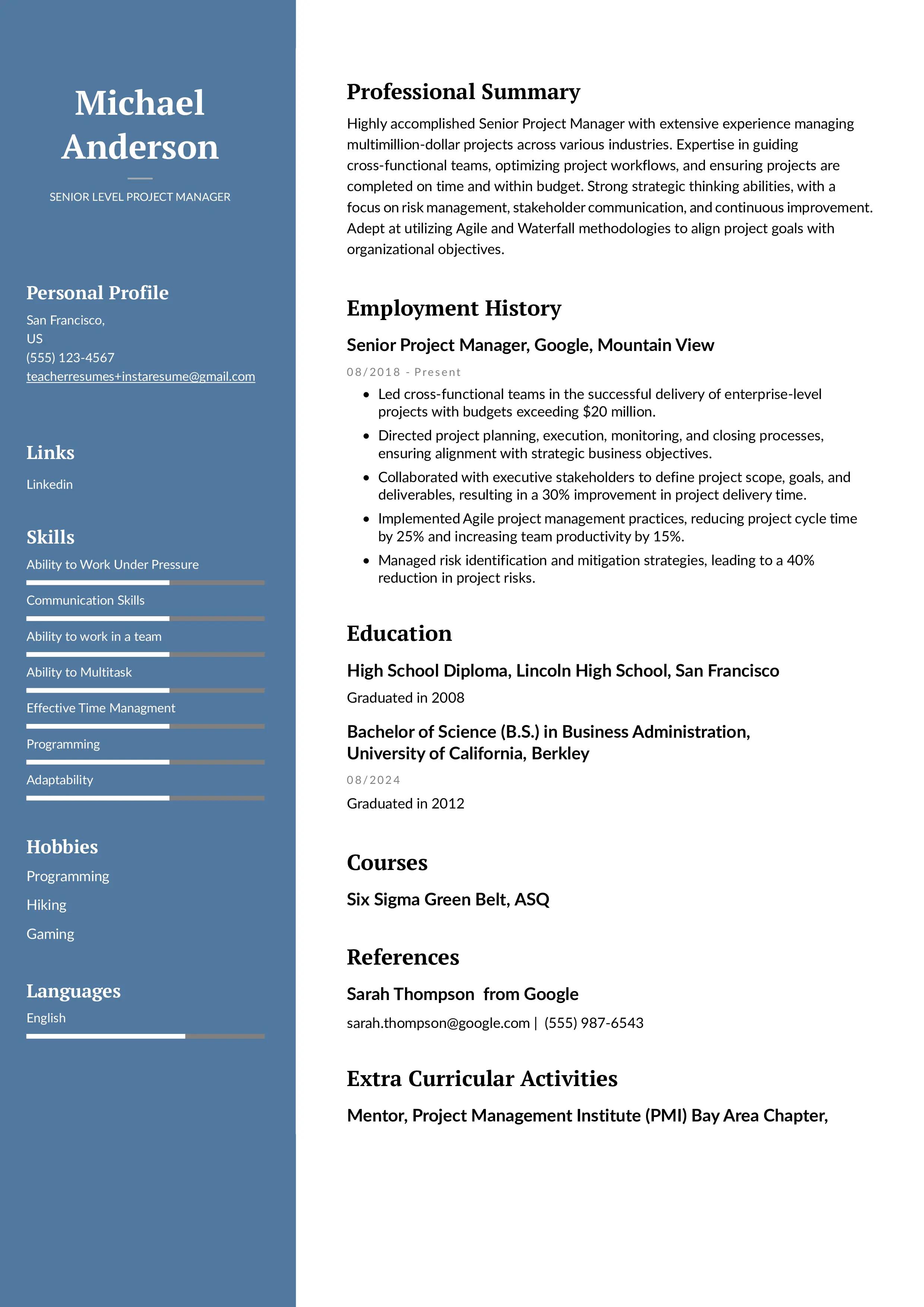
You have years of experience, achievements, and leadership responsibilities.
The best pick: Combination or experienced format
This helps you highlight measurable impact while still showing a strong career timeline. It draws attention to concrete results like numbers, improvements, or milestones while keeping your experience easy to follow. This balance makes it simpler for recruiters to connect your achievements with your professional growth.
Examples:
- A project manager with 10+ years includes metrics like budget handled, team size, and project success rate.
- A marketing lead highlights ROI-driven results, campaign wins, and cross-functional leadership.
Examples:
- A project manager with 10+ years includes metrics like budget handled, team size, and project success rate.
- A marketing lead highlights ROI-driven results, campaign wins, and cross-functional leadership.
If you're applying to companies using ATS
Most large companies filter resumes using software before a human reviews them.
The best pick: ATS-friendly resume
This ensures your resume is readable by the system and doesn’t get rejected for formatting issues.
It helps applicant tracking systems accurately scan and parse your details without errors.
Examples:
- A data analyst includes keywords like “SQL,” “Excel,” “Power BI,” and “data visualization.”
- A content marketer includes keywords like “SEO writing,” “Google Search Console,” “keyword research.”
Choose this if:
- You’re applying through job portals
- The role is highly competitive
- You want to avoid rejection due to formatting errors
Sections to include in your resume
A strong resume isn’t just about what you say it’s also about how you organize it. The right sections help you present your experience in a clean, structured, and recruiter-friendly way. While the exact order may vary depending on your format (chronological, functional, entry-level, etc.), the following sections are the ones most resumes should have.
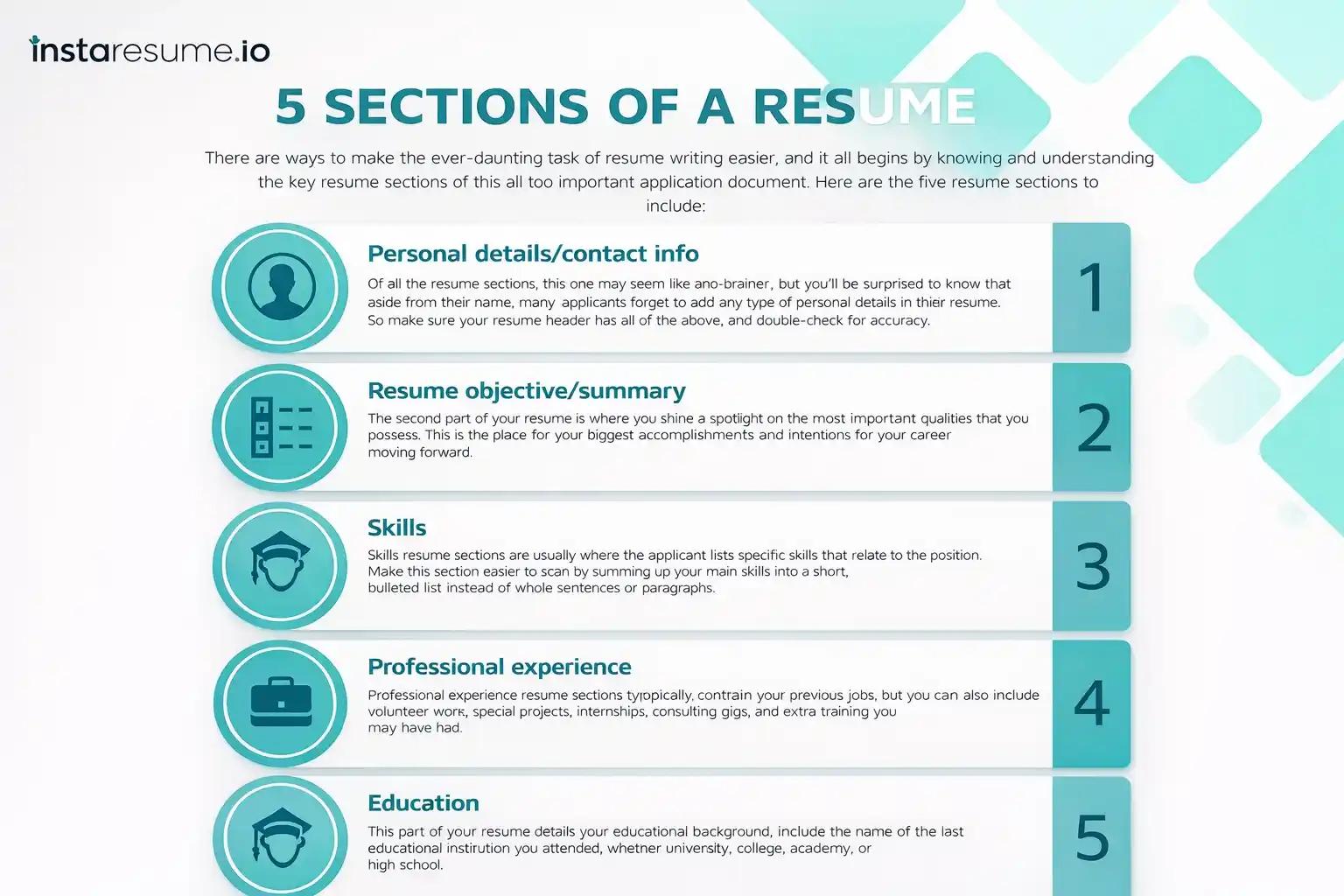
Each one plays a specific role in telling your professional story, so let’s go through them with examples to make everything clear.
Contact information
This goes at the very top and should be extremely straightforward. You want recruiters to contact you easily, without hunting for details.
Include:
- Full name
- Phone number
- Professional email ID
- City and country (optional but useful)
- LinkedIn profile link
- Portfolio link (if relevant)
Examples:
- A designer adds a Behance or Dribbble link.
- A developer adds GitHub.
- A writer adds a portfolio website or Medium link.
Avoid:
- Nicknames
- Unprofessional emails
- Long home addresses
Resume summary or objective
This is a short 2–3 line introduction that sets the tone of your resume.
Think of it as your elevator pitch.
Summary is ideal for experienced professionals.
Objective works better for freshers or career switchers.
Examples:
- Summary (Experienced):
“Digital Marketing Specialist with 4+ years of experience in SEO, content strategy, and lead-generation campaigns. Successfully increased organic traffic by 120% for multiple clients.” - Objective (Fresher):
“Motivated BBA graduate seeking an entry-level marketing role. Skilled in social media strategy, Canva design, and content writing through academic projects and internships.”
Why this section matters:
It’s the first thing a recruiter reads. A strong summary builds immediate interest.
Skills section
Here you list the specific abilities that make you qualified.
This section can be divided into Technical Skills and Soft Skills depending on your background.
Examples:
- Technical Skills (Developer): JavaScript, React, APIs, Git, SQL
- Technical Skills (Finance): Tally, Excel, MIS reporting, financial modeling
- Soft Skills: Communication, teamwork, problem-solving, time management
Pro tip: Add skills mentioned in the job description — it helps with ATS screening.
Work experience
This is usually the most important section for experienced professionals.
Use the STAR method (Situation → Task → Action → Result) to turn responsibilities into achievements.
Structure:
- Job title
- Company name
- Dates of employment
- 3–6 bullet points explaining your achievements
Examples:
- “Managed a team of 10 and increased monthly sales by 28% through targeted campaigns.”
- “Developed a React-based dashboard that reduced processing time by 35%.”
- “Handled customer queries with a 95% satisfaction rating.”
Why this works:
Recruiters love numbers because they show real impact.
Education
This section becomes more detailed for freshers and short for experienced candidates.
Include:
- Degree
- University/college name
- Year of graduation
- CGPA or percentage (optional)
- Relevant coursework (only if you’re a fresher)
Examples:
- A CS student may add: Data Structures, DBMS, Algorithms.
- A journalism student may add: Media Law, Copywriting, Digital Production.
Certifications
Certifications show you’re learning outside your degree and keeping yourself updated.
Examples:
- Google Analytics Certification
- HubSpot Content Marketing
- Coursera Data Analytics Specialization
- Adobe Photoshop & Illustrator Training
- Tally ERP
This section is especially valuable for freshers and career switchers.
Projects (Optional but highly recommended)
Projects help you prove your skills with real examples. They’re crucial for freshers, designers, developers, and people changing careers.
Examples:
- Developer: “Created a full-stack e-commerce website using MERN stack.”
- Designer: “Designed 3 brand identity kits for local businesses.”
- Marketing student: “Built a complete social media strategy for a college event and grew engagement by 4x.”
Achievements (Optional)
This section works great when you have standout accomplishments that don’t naturally fit into your work experience.
Examples:
- Awarded “Employee of the Quarter”
- Winner of inter-college case competition
- Published articles in well-known platforms
- Completed a national-level certification
Extra sections (Add if relevant)
Depending on your field and background, you can include:
- Languages (useful for customer-facing roles or international jobs)
- Volunteer Experience
- Workshops / Training
- Publications
- Portfolio / Creative Work
- Tools & Software Proficiency
Example:
“Tools: Figma, Adobe XD, Zeplin, FigJam”
“Languages: English, Hindi, French (Basic)”
Essential resume formatting rules
Even though your achievements and experience are the real stars of your resume, the way you present them plays a huge role in whether a recruiter actually reads them. Simple things like spacing, alignment, and font choices may seem minor, but they directly affect readability. A well-formatted resume helps the hiring manager focus on what matters most your skills and potential.
Here’s how to format your resume so it looks polished and professional before you send it out:
Align everything to the left
Left alignment naturally guides the recruiter’s eyes down the page and makes your resume easier to skim. If you’re running short on space, it’s completely fine to right-align small details like dates or locations.
Use standard margins
A 1-inch margin on all sides is the safest choice because it gives your resume breathing room. But if you need a bit more space, margins between 0.5 and 1 inch still look clean and acceptable.
Choose a clean, professional font
Your font should look modern, simple, and easy to read on any screen. Common resume-friendly fonts include Calibri, Times New Roman, Arial, Helvetica, and Georgia. Avoid overly stylized fonts they look unprofessional and can be hard to read.
Keep your font size between 10–12 points
Most of your resume text should sit comfortably within this range so it’s readable without wasting space. Your name and section titles can be slightly larger to stand out.
Include the five must-have resume sections
Every strong resume includes these essential parts:
- Contact details
- A short summary or objective
- Work experience
- Key skills
- Education
These sections give recruiters all the information they need at a glance.
Stick to one date style
Whatever date format you choose “May 2024 – Aug 2024” or “05/2024 – 08/2024” keep it consistent throughout your entire resume. Consistency makes your document look polished and intentional.
Use bullet points to share your achievements
Under each job role, list 2–6 bullet points that show what you accomplished. Keep them clear, specific, and result-oriented. Bullet points make your experience easy to read and help your achievements stand out.
Match verb tenses to the job timeline
- Use present tense for your current job.
- Use past tense for previous roles.
This keeps your writing clean and grammatically correct.
Avoid using “I,” “me,” or “my”
Resumes are written in implied first-person. Instead of saying “I managed a team,” simply write “Managed a team of five.” It saves space and looks more professional.
Keep your resume length realistic
For most people especially recent graduates or professionals with less than five years of experience a single page is perfect. If you have more experience or work in a highly technical field, going up to two pages is acceptable.
Check your resume for formatting issues
Once your resume is written and formatted, there’s one more important step people often skip: a final formatting check.
This quick review helps you catch small errors that can make your resume look messy, uneven, or unprofessional and these little details are exactly what hiring managers notice first.
Think of this step as giving your resume a polish before sending it out.
Do a quick visual scan
Open your resume and scroll through it slowly. Look for anything that feels “off” at first glance uneven spacing, misaligned bullet points, extra blank lines, or text that looks cramped.
If something looks odd to you, it will look odd to a recruiter too.
Example:
- Your job title is bold but the next job title isn’t
- One bullet point starts with a verb, another starts with a noun
- Your spacing under one section is wider than the others
Small inconsistency = instant distraction.
Make sure your headings stand out clearly
Headings should be easy to locate. If your sections blend into your text, recruiters may miss important parts.
Check for:
- One consistent font size for all headings
- Proper spacing above and below each section
- Clear hierarchy (your name > section headings > job titles > description)
Review spacing between sections and bullet points
Uneven spacing makes your resume look rushed. Make sure the gap between each section is the same throughout.
Also check if your bullet points sit neatly under each other no odd indentations or misaligned markers.
Confirm your document is clean and clutter-free
A cluttered resume is exhausting to read. Make sure there’s enough white space so the page looks balanced, not overloaded.
Ask yourself:
- Can someone skim this in 5 seconds and grasp the structure?
- Does it feel breathable or “jam-packed”?
Check for mistakes in fonts, sizes, or formatting
It’s easy to accidentally use a different font or letter size while editing.
Look for:
- A random word that appears slightly bigger or smaller
- Different line spacing in a section
- Accidental bolding or italic text you didn’t intend
These micro-errors create an unpolished impression.
Make sure your bullets follow the same writing style
Your bullet points should follow a pattern. Either all start with verbs or all start with nouns don’t mix styles randomly.
Example:
- “Handled social media scheduling…”
- “Management of client reports…” (← this breaks the pattern)
Choose one style and stick to it.
Zoom in and out while reviewing
Zooming in helps you catch spacing and alignment issues.
Zooming out shows you the overall balance of your resume.
Both perspectives matter.
Export as PDF and check again
A resume can look perfect in your editor but distorted in the final PDF. Always download and review your PDF before applying.
Common PDF issues:
- Text shifting
- Bullet points turning into symbols
- Spacing changes
- Lines getting pushed to the next page
If your PDF looks clean, you’re good to go.
Simplify formatting with InstaResume if you want to save time
Even after careful checks, resume formatting can still feel stressful especially when different editors or PDF exports change spacing, alignment, or fonts unexpectedly.
If you’d rather not worry about formatting issues at all, using our resume builder can help. It automatically follows resume formatting best practices, keeps spacing and alignment consistent, and ensures your resume stays clean across formats. You simply enter your details, and the structure, layout, and formatting are handled for you—so you can focus on content instead of technical details.
Common Resume Formatting Mistakes
Key Formatting issues can easily pull attention away from your qualifications. Even if your experience is strong, these simple mistakes can make your resume feel unorganized or difficult to read. Here are the problems you should watch out for:
Inconsistent formatting:
Mixing different fonts, font sizes, date styles, or spacing creates a disjointed look. When the visual style keeps changing, recruiters may assume you didn’t review your document carefully.
Overly decorative layouts:
Using borders, graphics, icons, or complex multi-column designs might look creative, but they often distract from your content. Some of these elements also break when uploaded to ATS systems.
Weak section hierarchy:
If your headings and subheadings look too similar to your body text, it becomes hard for readers to quickly find key sections like skills, experience, or education. A resume needs a clear visual structure.
Trying to fit too much on one page:
Overstuffing your resume with text, tiny margins, or long paragraphs makes it visually heavy. A recruiter should be able to skim your resume easily, and clutter makes that difficult.
Unprofessional fonts or poor text sizing:
Fonts that are overly stylized or text that’s too small or too large hurt readability. Using clean, readable fonts at a consistent size keeps your resume looking polished and easy to navigate.
FAQs
What is the best resume format to use?
There’s no single “best” format for everyone the right choice depends on your experience and goals. The three most widely accepted formats are chronological, functional, and combination. Chronological emphasizes your work history, functional focuses on skills, and combination blends both for a balanced view.
How long should a resume be?
For most job seekers, a one-page resume is ideal, especially if you have less than five years of experience. It forces you to focus on what’s most relevant. If you have extensive experience, technical roles, or multiple achievements, a second page can be acceptable.
Which file format should I use when submitting my resume?
The safest choice is PDF because it preserves your formatting across devices and software. Some employers, especially those using applicant tracking systems (ATS), may request a Word (.doc or .docx) file in that case, follow the instructions in the job posting.
Do I need to tailor my resume for each job I apply to?
Yes, customizing your resume for each role improves your chances of being noticed. Review the job description, pick out relevant keywords, and adjust your summary, skills, and accomplishments to match what the employer is looking for.
Is a resume objective still necessary?
Resume objectives (focused on your goals) are less common now. For most applicants, a strong resume summary that highlights what you bring to the role is more effective, especially if you have experience. Objectives can still work for freshers or career changers who want to explain their direction.
How far back should my work history go?
In most cases, list experience from the last 10–15 years. Older roles can be summarized briefly or left off if they’re not relevant to your current job goals. Older experience without relevant skills or responsibilities can dilute your resume’s focus.
Should I include internships or volunteer work on my resume?
Absolutely if you’re a fresher or your internships and volunteer roles are relevant to the job, include them. These experiences demonstrate initiative, real-world skills, and commitment, and they help fill gaps when professional experience is limited.
How important is it to include keywords in my resume?
Very important. Many employers use ATS software to pre-screen resumes. Including relevant keywords (skills, job titles, tools, certifications) from the job description naturally in your resume helps ensure it gets past the initial filter.
Should I include references on my resume?
No, you don’t need to list references directly on your resume. Instead, say “References available upon request,” and have a separate list ready if the employer asks. Including references early uses valuable space that’s better spent on your skills and achievements.
Can I use color or design elements in my resume?
Yes, but sparingly. A subtle accent color or clean lines can help your sections stand out. Avoid overly flashy designs or graphics that could confuse ATS or distract from your content. Simple formatting with clear headings usually performs best.