
ATS CV Templates: The Smart Way to Get Your Resume Past Applicant Tracking Systems

Trust Score: 4.8
387 reviews
Table of Contents
Best ATS CV Templates That Actually Get Interviews
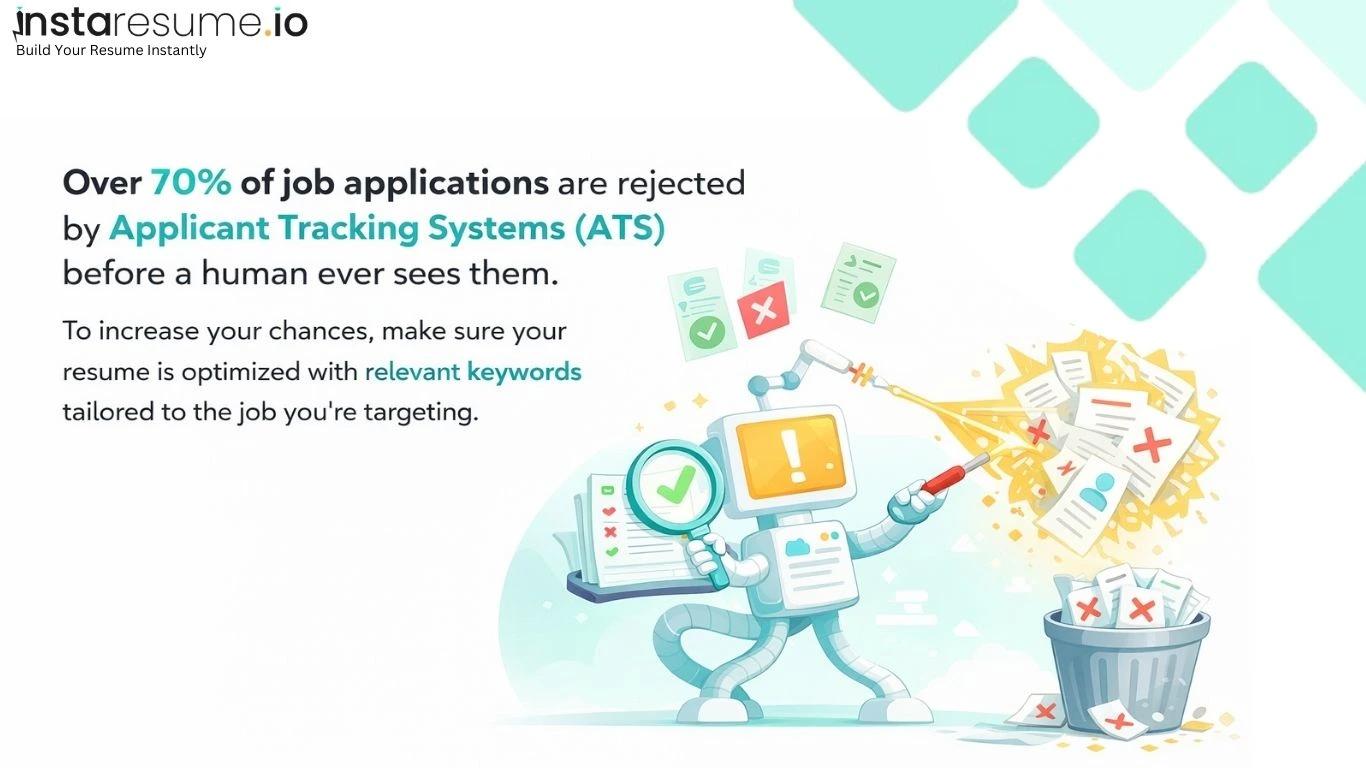
Most resumes don’t get rejected by recruiters — they get filtered out before a human ever sees them. In today’s hiring process, applications are first scanned by Applicant Tracking Systems (ATS), software designed to sort and rank candidates based on formatting, structure, and keyword relevance. If your resume isn’t built in a way the system can properly read, it may never reach the shortlist.
This is why having an ATS-friendly resume is no longer optional. A visually attractive document isn’t enough; your resume must be structured for accurate parsing, clean section recognition, and strong keyword alignment. Without proper formatting, even highly qualified candidates can lose opportunities simply because their resume isn’t ATS optimized.
Using an ATS resume builder makes this process significantly easier. Instead of guessing which format works, an optimized resume builder online ensures your layout, headings, and file structure meet modern hiring standards. These tools are designed to reduce formatting errors and improve compatibility with applicant tracking systems.
Even more powerful is an AI resume builder, which helps with keyword optimization. AI-driven tools analyze job descriptions and suggest relevant skills, job titles, and phrases to improve matching accuracy. This increases your chances of ranking higher in ATS scans while keeping your resume natural and professional.
Many platforms now offer free resume builder options that provide ATS-friendly resume templates and professional resume templates suitable for various industries. Choosing the right tool can mean the difference between getting filtered out and getting an interview call.
In short, success today depends not just on what you write but how your resume is built and optimized.
What Is an ATS-Friendly Resume Template?
An ATS resume template is a resume format specifically designed to be easily read and processed by applicant tracking software. In simple terms, it’s a layout built to ensure your resume can pass through an applicant tracking system resume scan without losing important information.
Unlike visually complex resumes, ATS-friendly templates focus on clarity, logical structure, and keyword alignment. They use standard section headings like Work Experience, Skills, and Education, along with clean formatting that software can accurately parse. The goal is not to impress with graphics, but to ensure your qualifications are properly extracted and ranked.
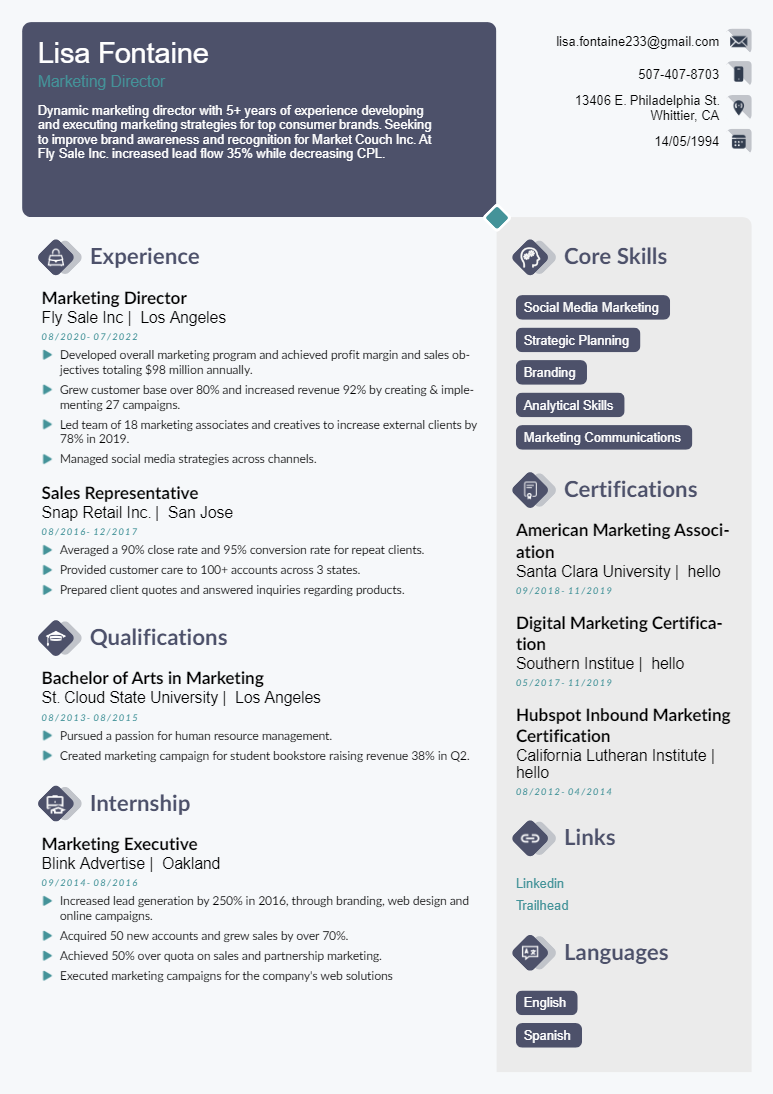
Regular resume templates often prioritize design — using columns, text boxes, icons, charts, and creative layouts. While these may look attractive, they can confuse applicant tracking systems. Important content may be skipped, misread, or rearranged incorrectly during the scan. In contrast, an ATS optimized resume format uses a single-column layout, standard fonts, and consistent spacing to ensure maximum compatibility.
This is why structure matters more than design. A recruiter can only evaluate your resume if the system delivers it to them in the first place. An organized, ATS-friendly format increases parsing accuracy and improves your chances of moving forward in the hiring process.
Many modern platforms now offer AI-powered tools that automatically apply ATS best practices. An advanced resume builder for jobs can format your content correctly, suggest keyword placement, and maintain a structure that aligns with applicant tracking standards helping you focus on showcasing your skills instead of worrying about formatting errors.
6 Pros of Using an ATS-Friendly Template
Using an ATS-friendly resume template isn’t just about formatting it directly impacts how your application is scanned, ranked, and reviewed. Here are the key advantages:
1. Higher Resume Parsing Accuracy
An ATS-friendly layout ensures your information is correctly read by an ATS resume scanner. Clean section headings, simple formatting, and structured content reduce the risk of important details being skipped or misinterpreted during the parsing process.
2. Better Keyword Matching
Applicant tracking systems compare your resume against job descriptions using keyword algorithms. An optimized template supports effective resume keyword matching, allowing relevant skills, tools, and job titles to be recognized and scored accurately.
3. Improved Recruiter Readability
Once your resume passes the system, it still needs to impress a human reviewer. ATS-friendly templates use clear formatting, logical section flow, and professional spacing — making it easier for recruiters to quickly scan your qualifications.
4. Increased Interview Chances
Better parsing and stronger keyword alignment mean your resume ranks higher in ATS results. When your document is structured properly and optimized for relevance, your chances of being shortlisted for interviews naturally increase.
5. Cleaner Professional Structure
ATS-friendly resumes prioritize clarity over decoration. A consistent layout with standard headings and organized content presents you as detail-oriented and professional — qualities employers value across industries.
6. Compatibility with ATS Resume Builder Software
Modern tools designed for AI resume optimization automatically apply ATS best practices. Using a template built for compatibility ensures your resume works seamlessly with ATS resume builder software, minimizing formatting errors and improving overall performance.
16 ATS-Friendly Resume Templates
Not every job seeker needs the same resume format. The right ATS-friendly resume template depends on your experience level, industry, and career goals. A strong ATS resume builder or AI resume builder allows you to customize these templates while maintaining an ATS optimized resume format.
Below are 16 professional resume templates designed to pass applicant tracking systems while keeping your application clean, structured, and recruiter friendly.
#1. Basic Resume Template
A clean, one-column layout with standard headings and minimal formatting. Ideal for most job seekers.
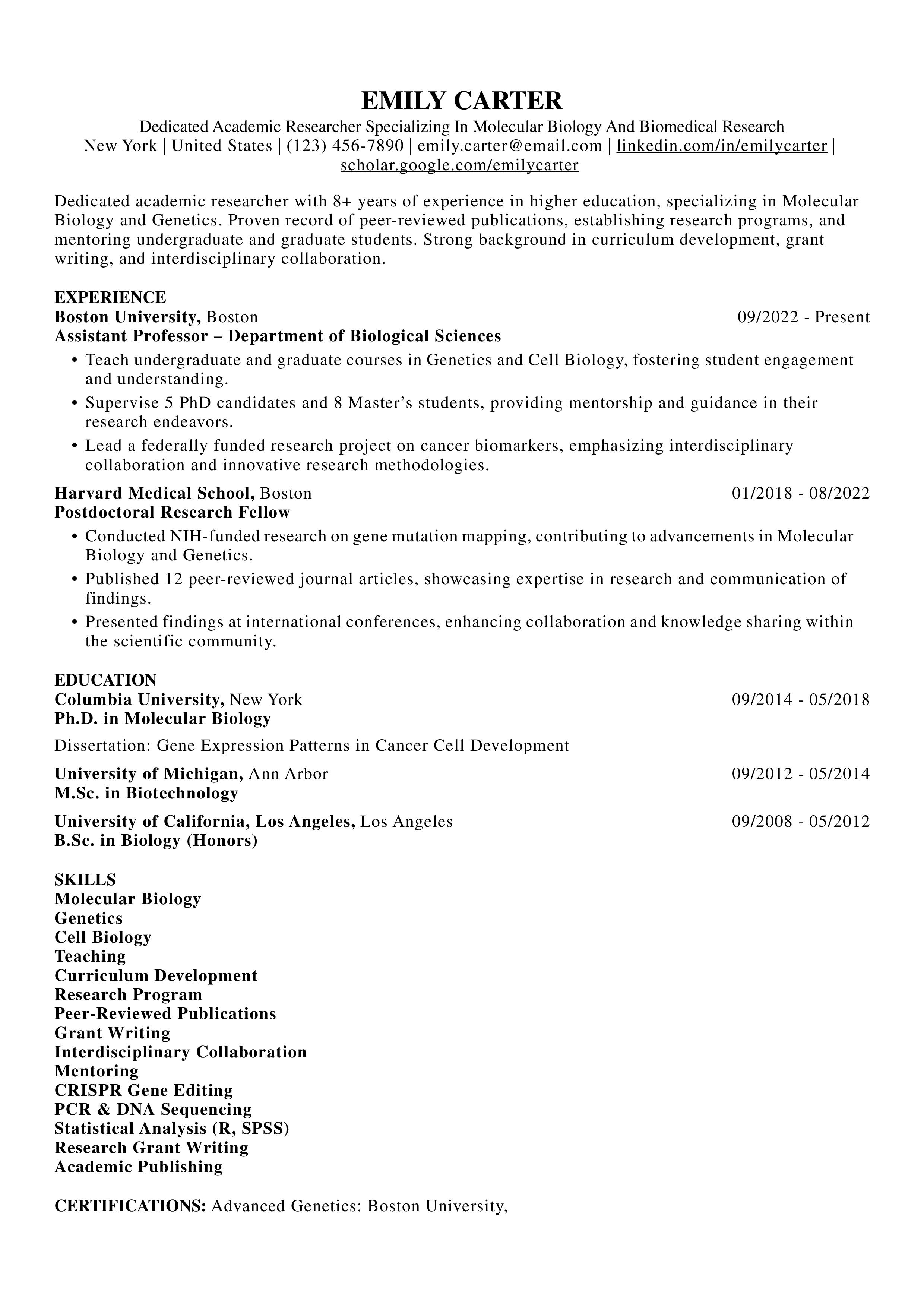
Best for: Entry-level to mid-level roles
Why it works: Simple structure improves ATS parsing accuracy.
#2. Minimalist Resume Template
Focuses on whitespace, clean typography, and clear sections without visual distractions.
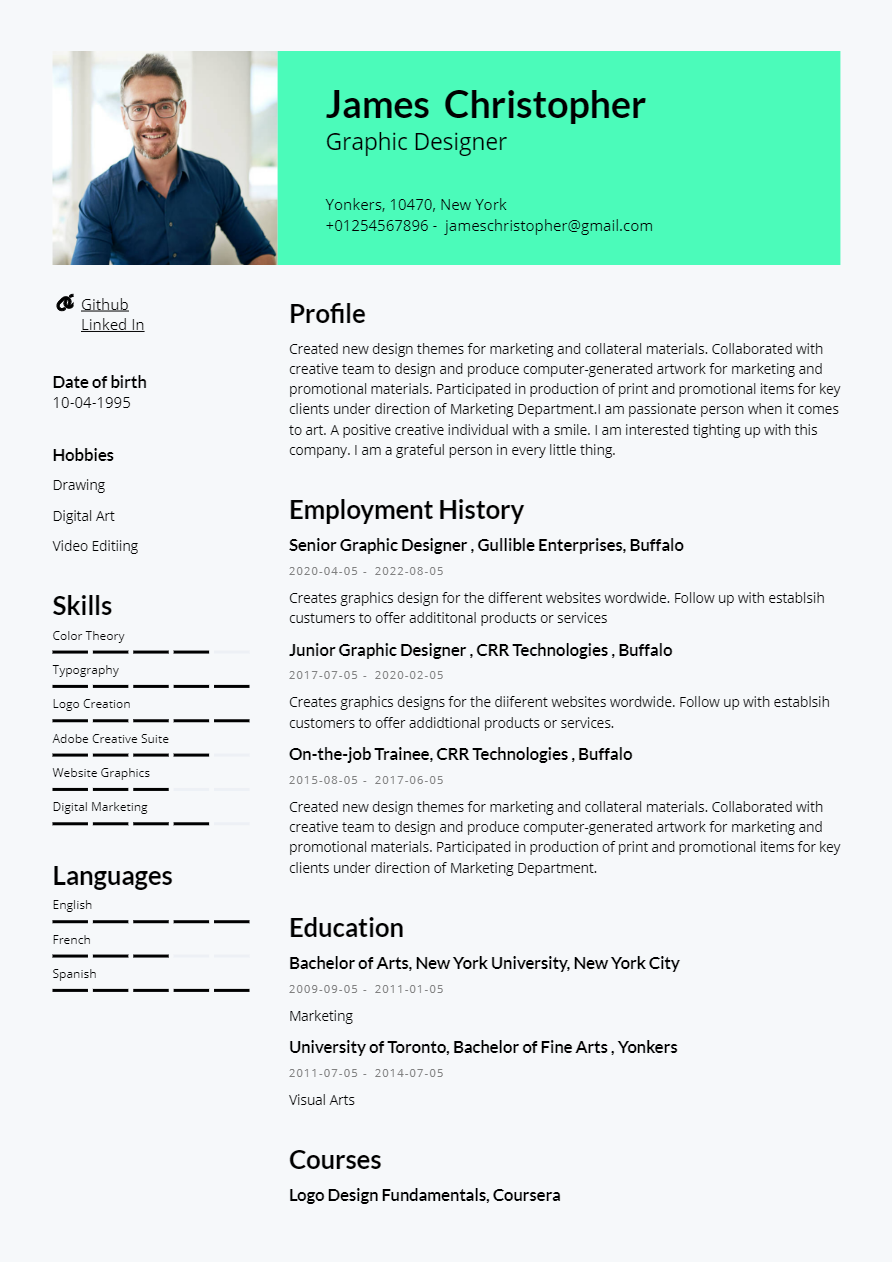
Best for: Corporate and administrative roles
ATS Advantage: Easy resume keyword matching and clean readability.
#3. Traditional Resume Template
Follows a classic chronological format with clear job progression.
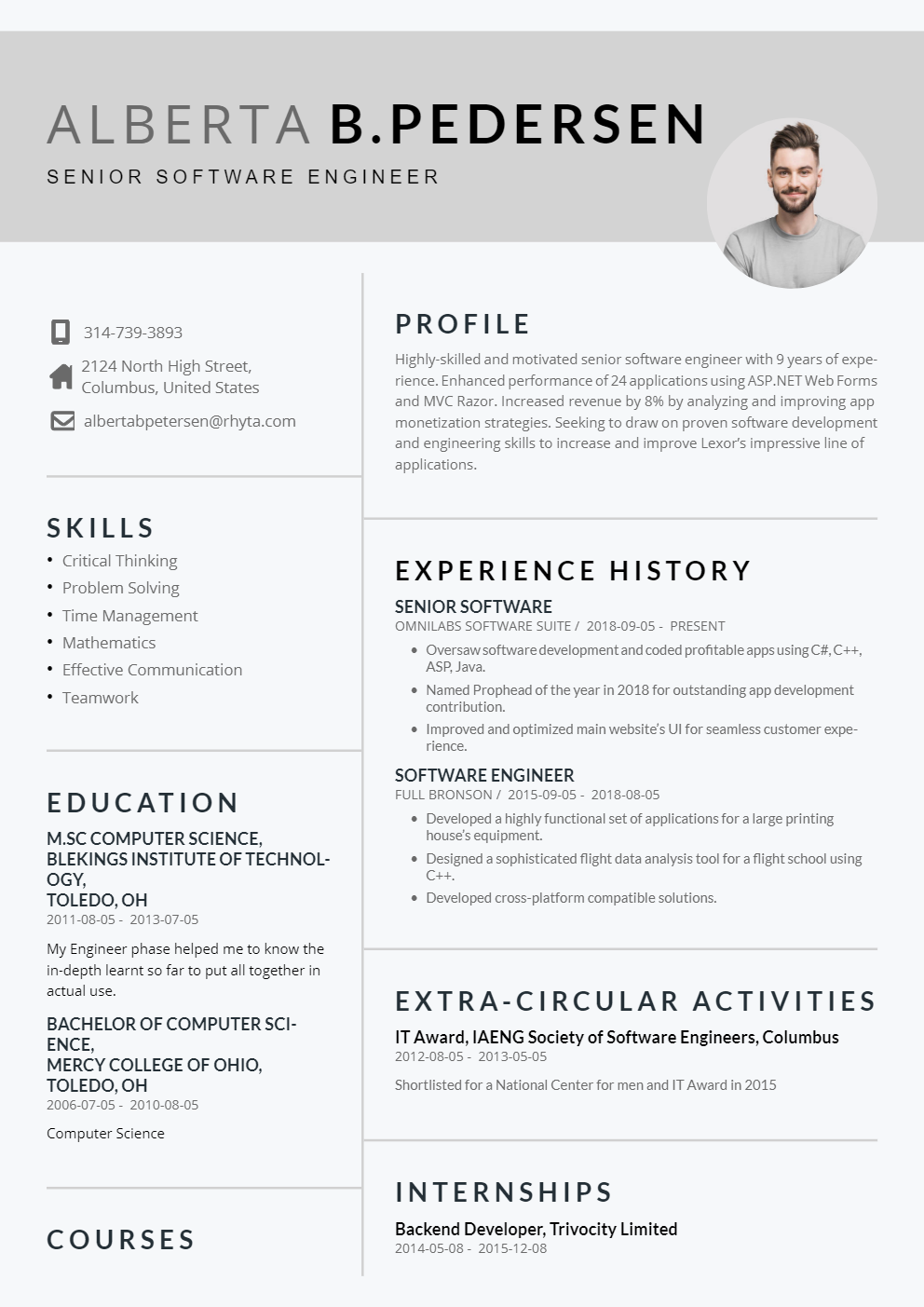
Best for: Professionals with consistent work history
ATS Advantage: Recognizable structure preferred by recruiters.
#4. Modern Resume Template
Subtle styling with professional formatting while maintaining ATS compatibility.
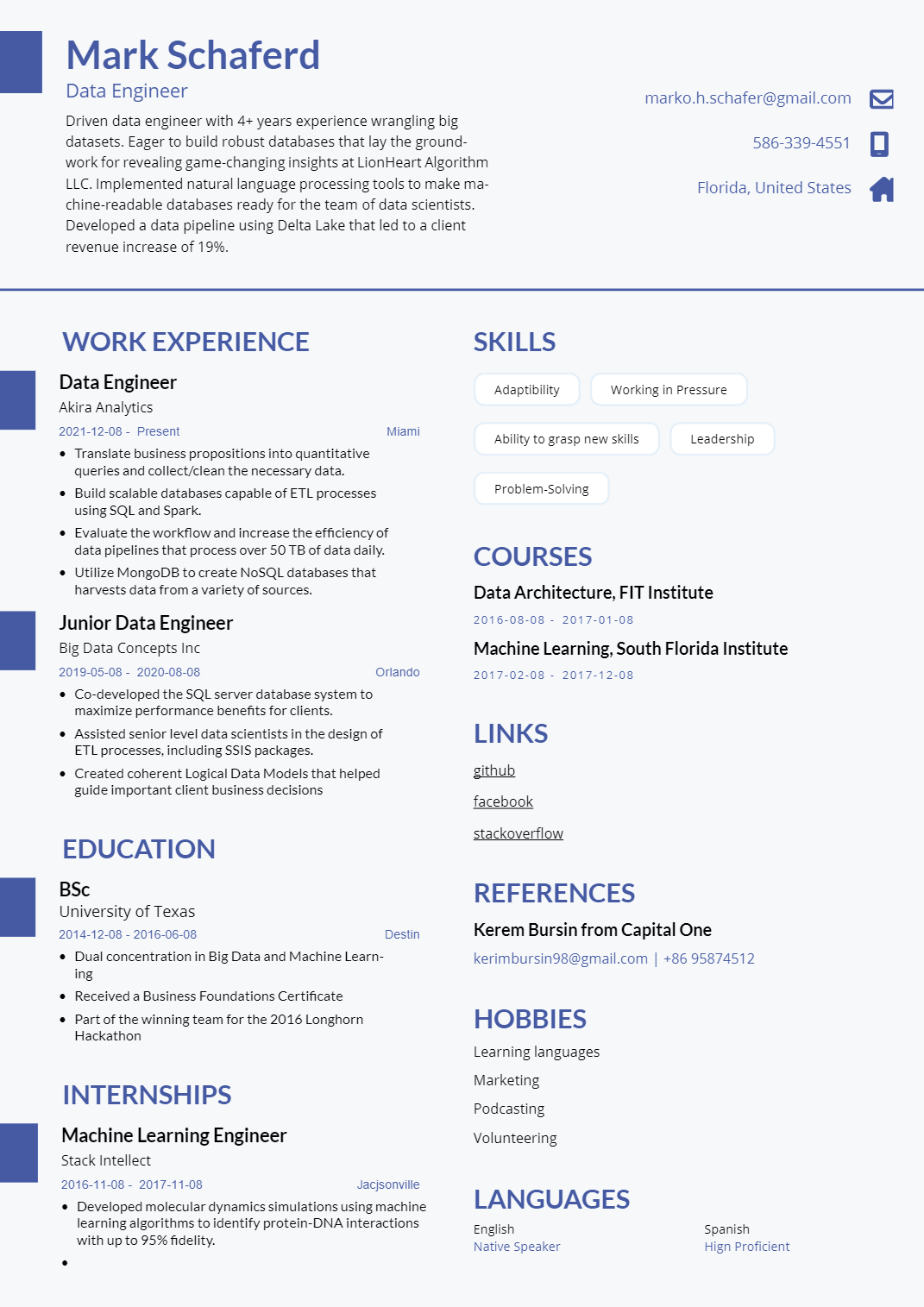
Best for: Marketing, business, and tech roles
#5. IT Resume Template
Highlights technical skills, certifications, tools, and programming languages.
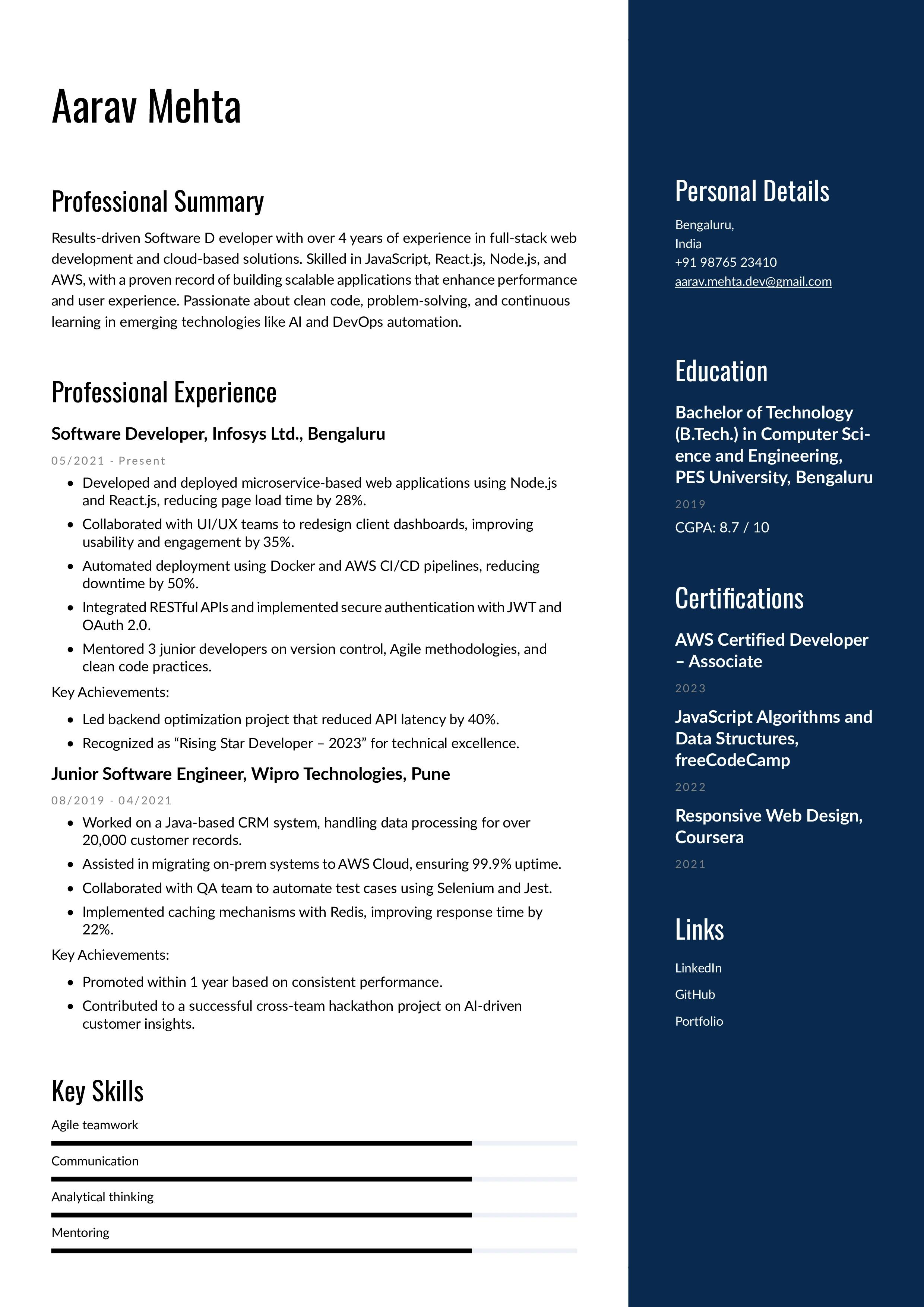
Best for: Developers, engineers, cybersecurity professionals
#6. Functional Resume Template
Focuses on skills instead of chronological work history.
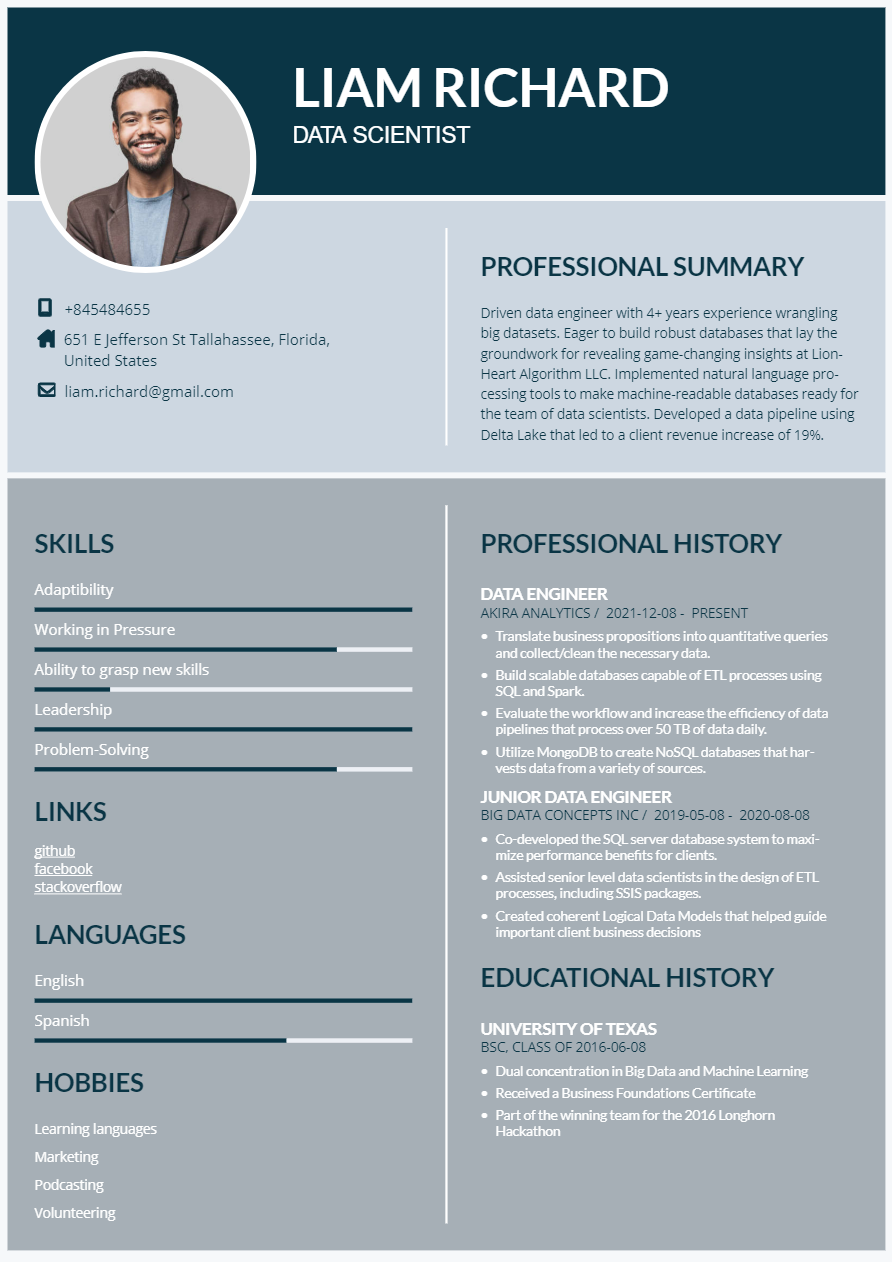
Best for: Career changers or employment gaps
ATS Note: Must use standard headings for better parsing.
#7. Professional Resume Template
Polished and structured for corporate environments.
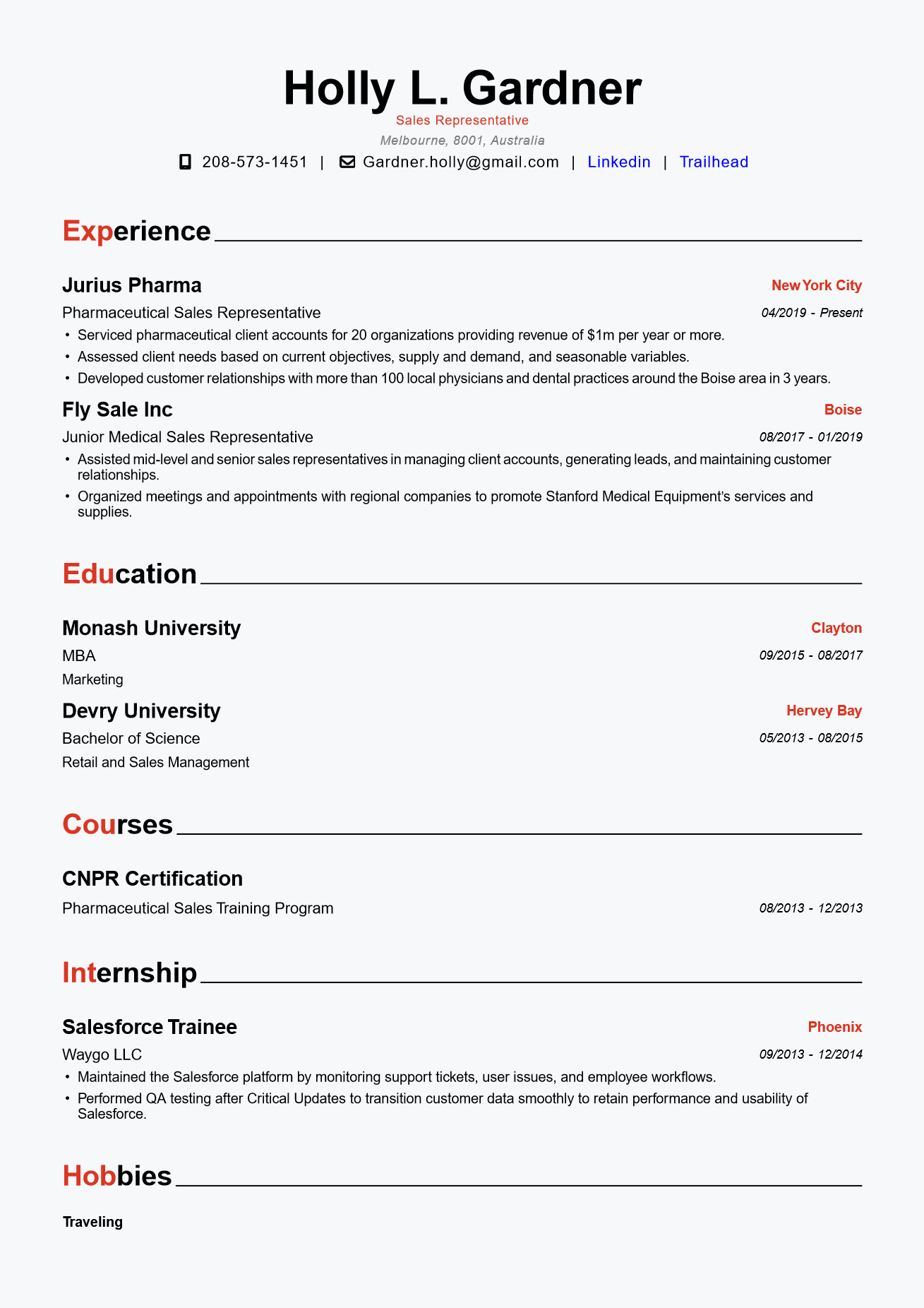
Best for: Mid-level professionals
Why it works: Balanced formatting and strong content hierarchy.
#8. College Resume Template
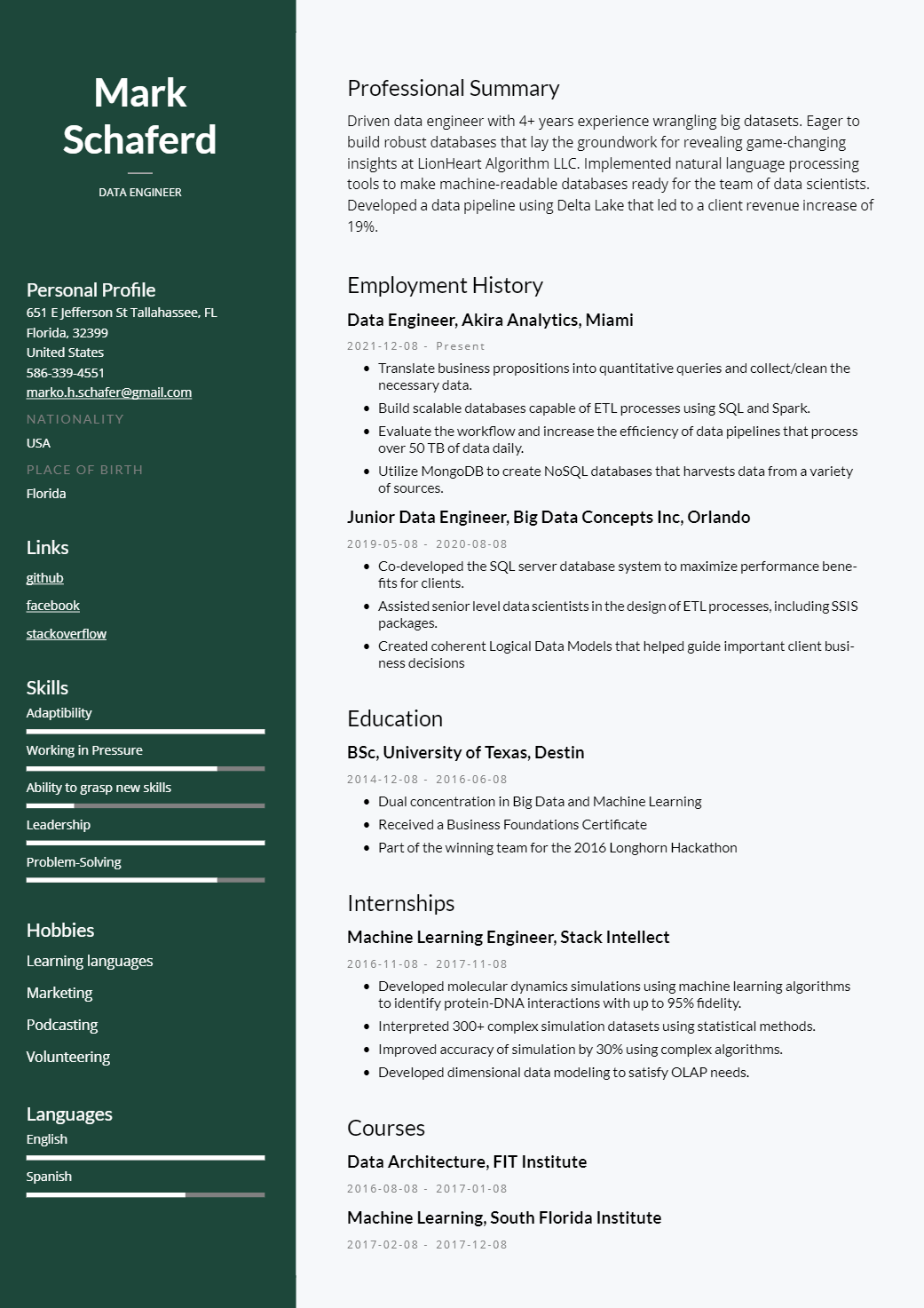
Emphasizes education, internships, projects, and transferable skills.
Best for: Students and recent graduates
Builder Tip: A resume builder for jobs can help structure limited experience effectively.
#9. Creative Resume Template
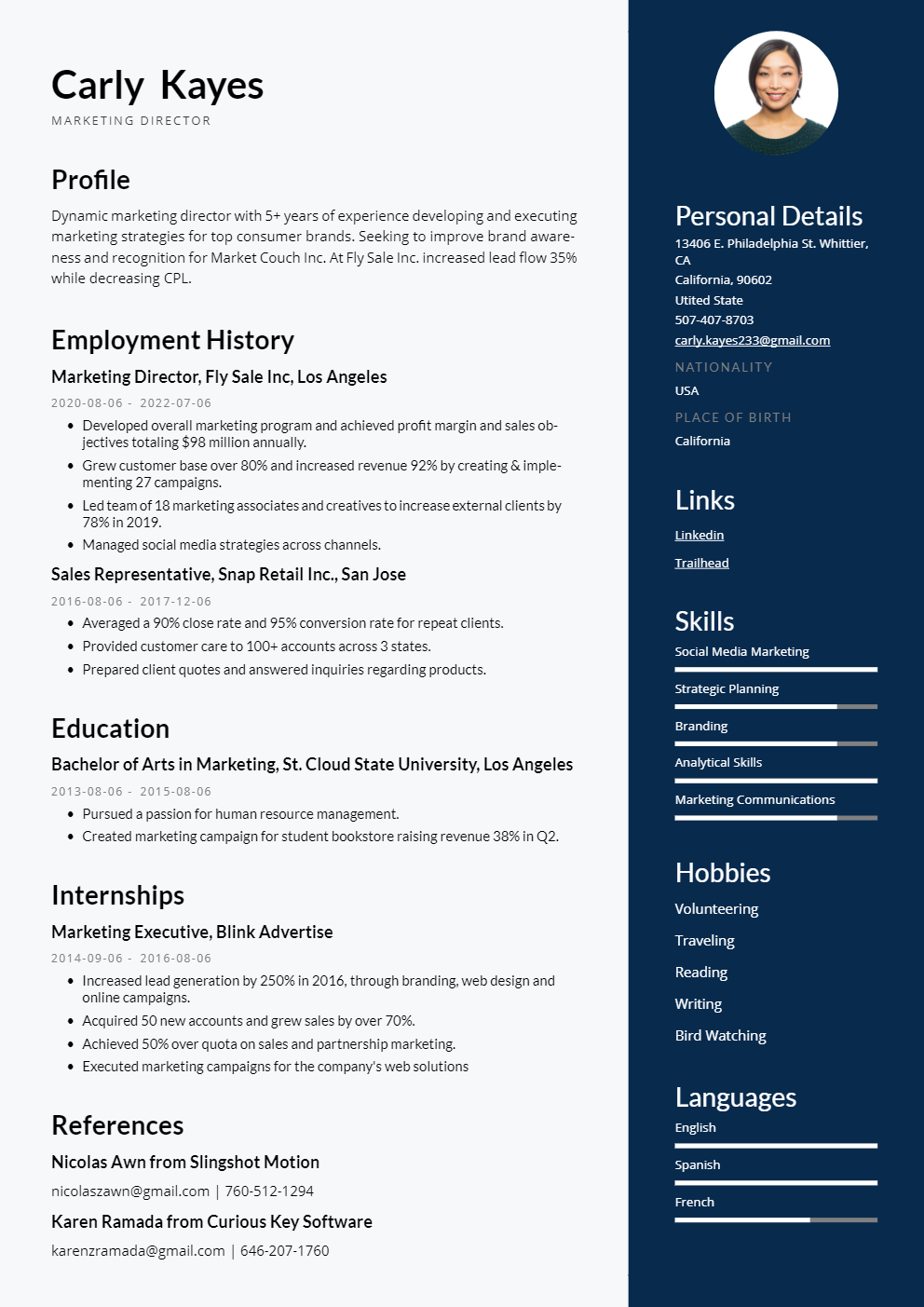
Allows slight stylistic flexibility while remaining ATS friendly.
Best for: Design, media, branding roles
Important: Keep formatting simple to avoid ATS scanning errors.
#10. Skill-Based Resume Template
Prioritizes core competencies and achievements over timeline.
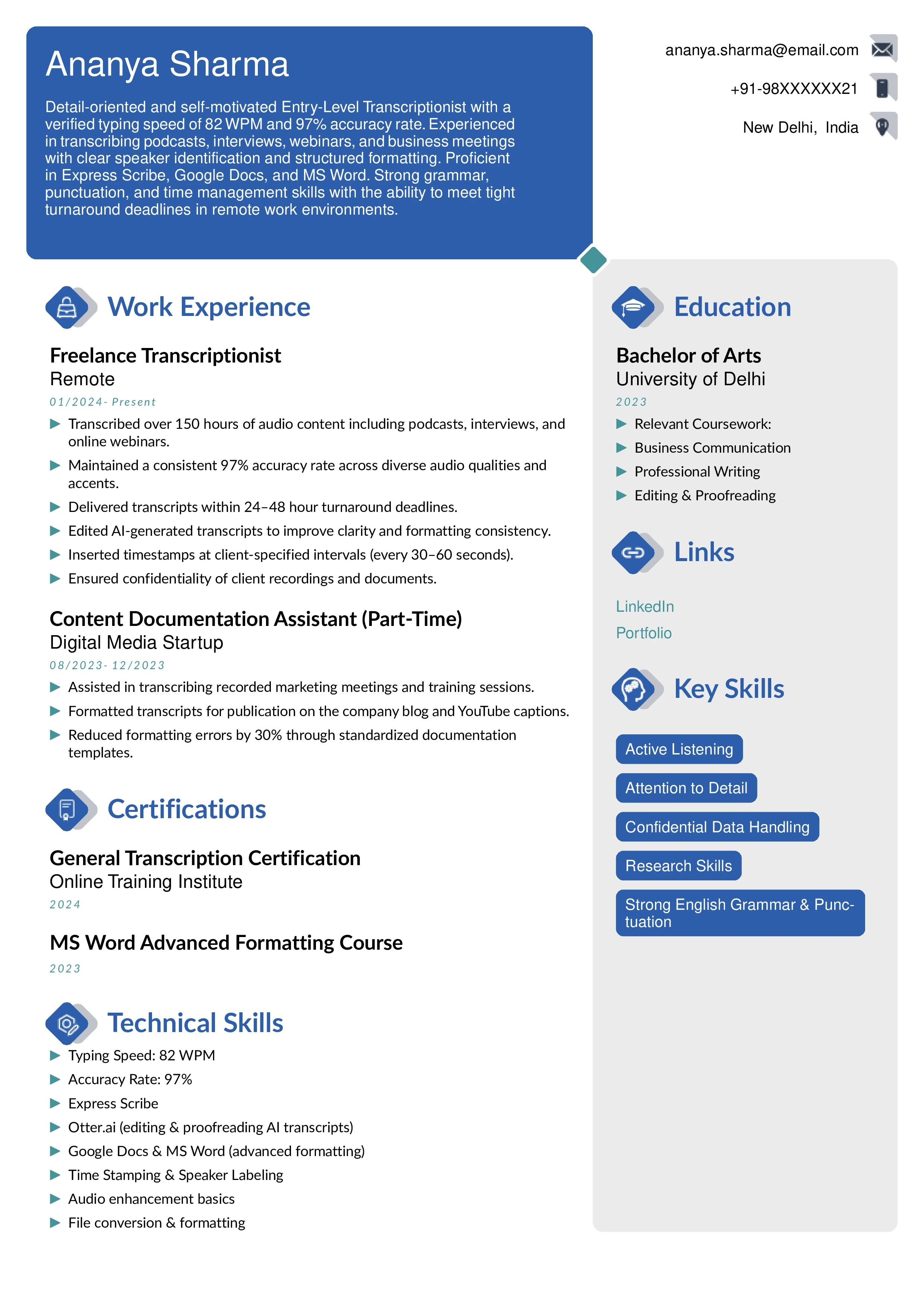
Best for: Career transitions
ATS Strategy: Use role-specific keywords in the skills section.
#11. Hybrid Resume Template
Combines chronological experience with skill highlights.
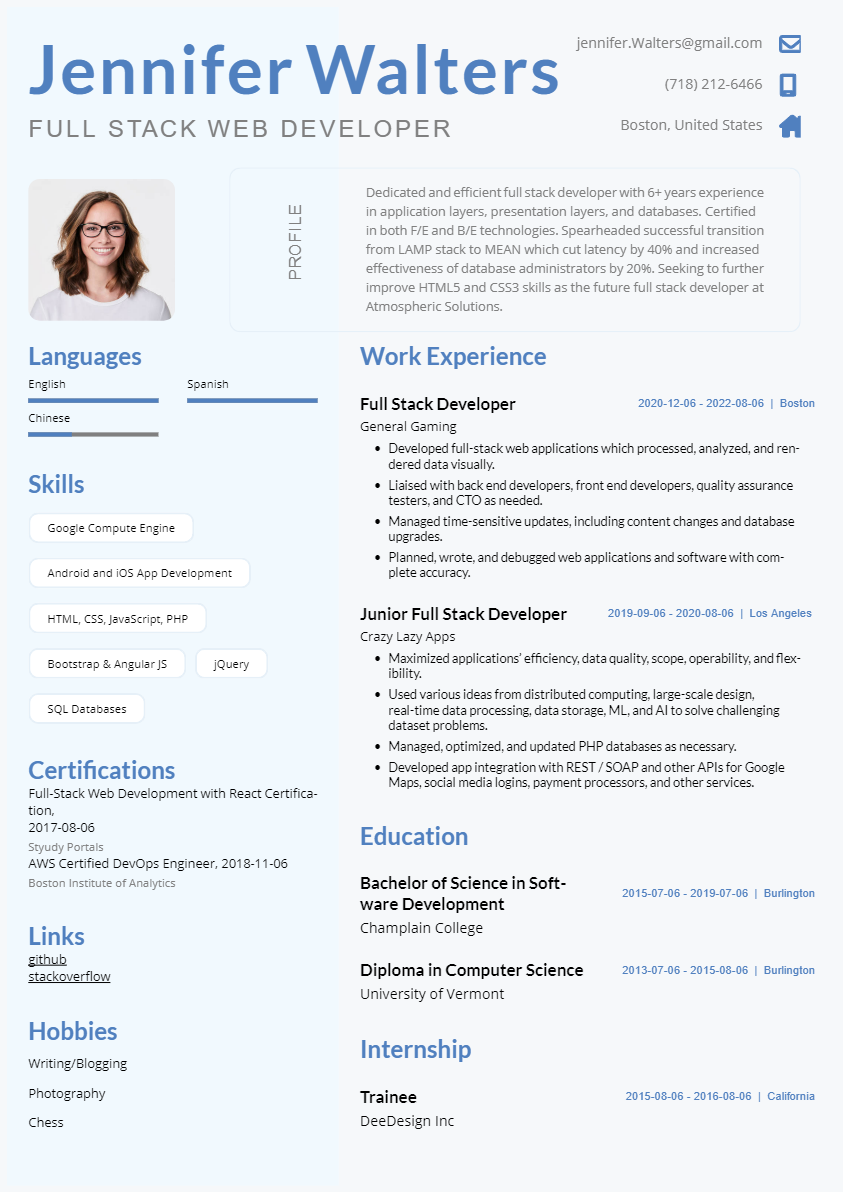
Best for: Professionals with measurable achievements
Why it ranks well: Supports strong resume keyword matching.
#12. General Resume Template
Universal structure that works across industries.
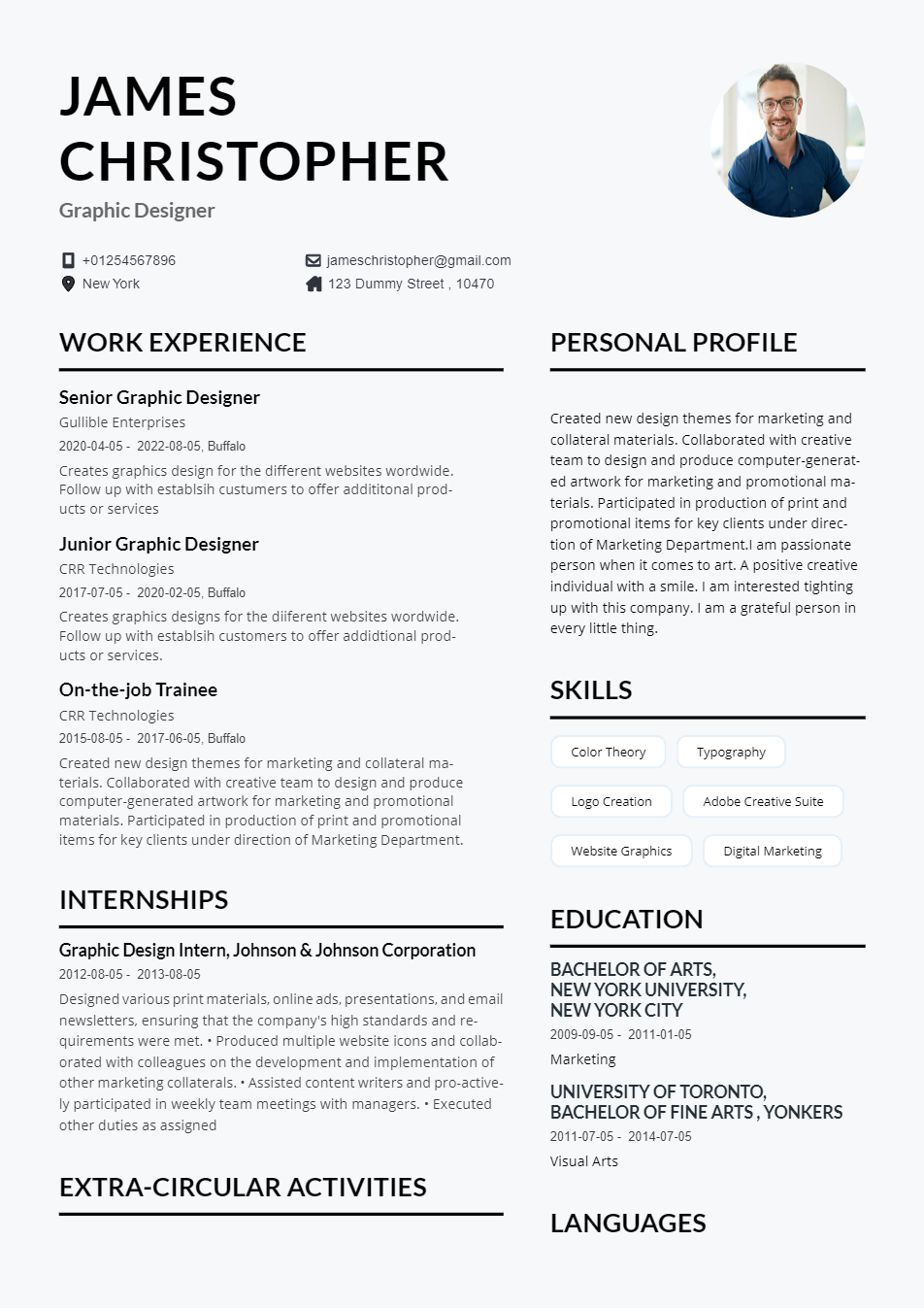
Best for: Multiple job applications
Optimization Tip: Tailor keywords for each application.
#13. Executive Resume Template
Focused on leadership impact, strategy, and measurable results.
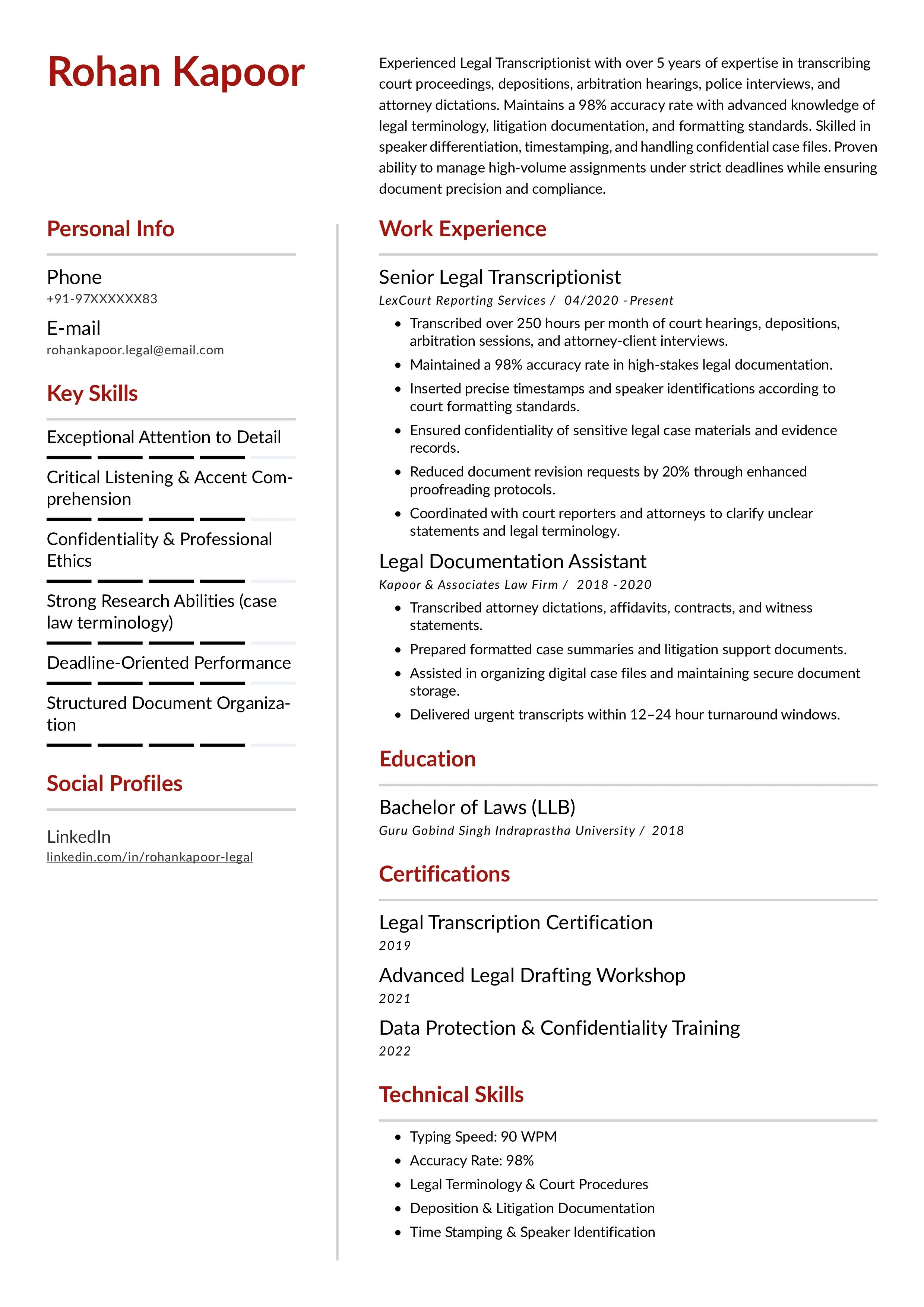
Best for: Senior managers and directors
ATS Focus: Clear executive summary and achievement-based bullets.
#14. Simple Resume Template
No visual elements, clean formatting, maximum ATS compatibility.
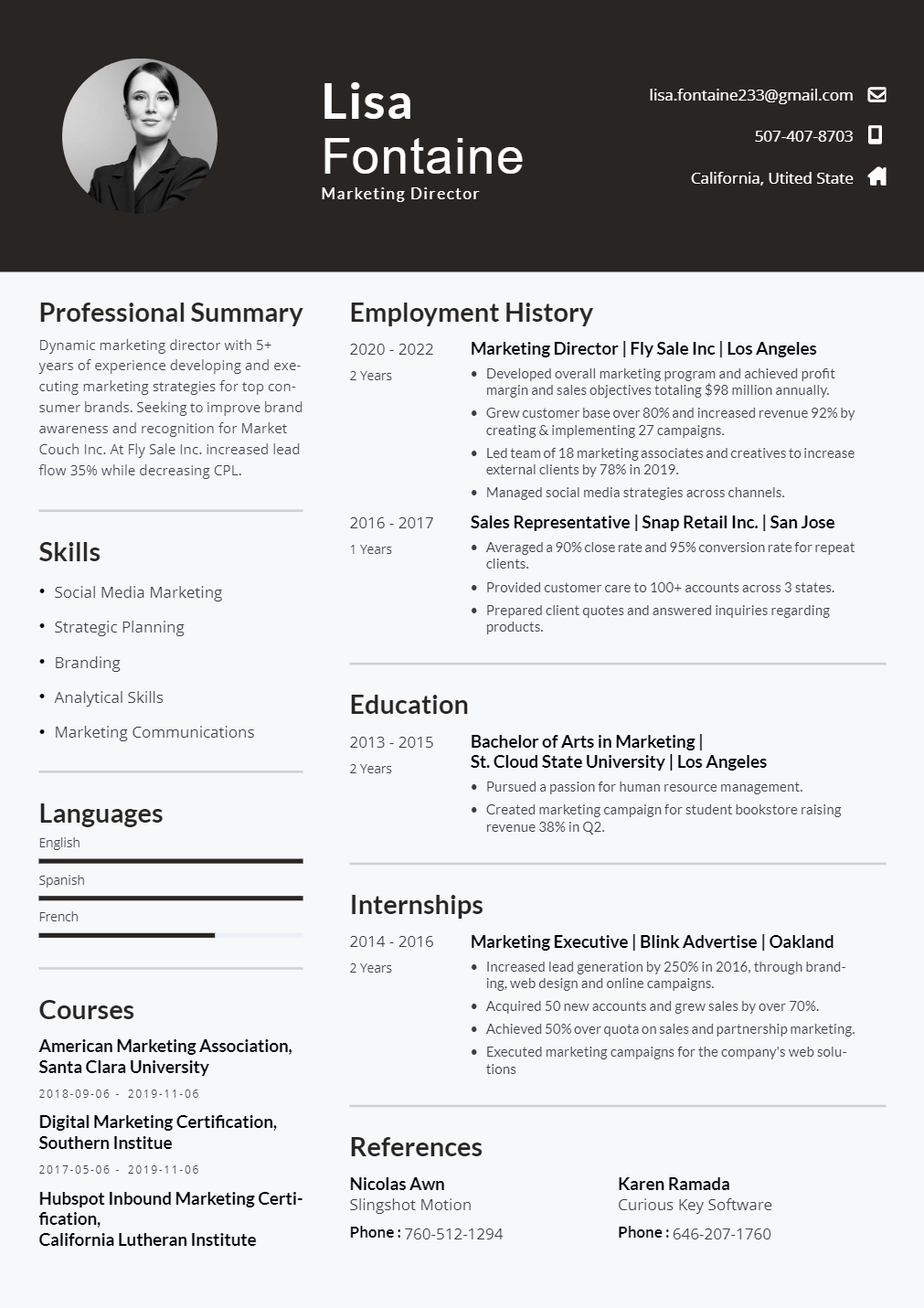
Best for: Government, finance, and formal industries
Advantage: High parsing reliability.
#15. Tech Resume Template
Specifically structured for technical professionals with certifications and tools.
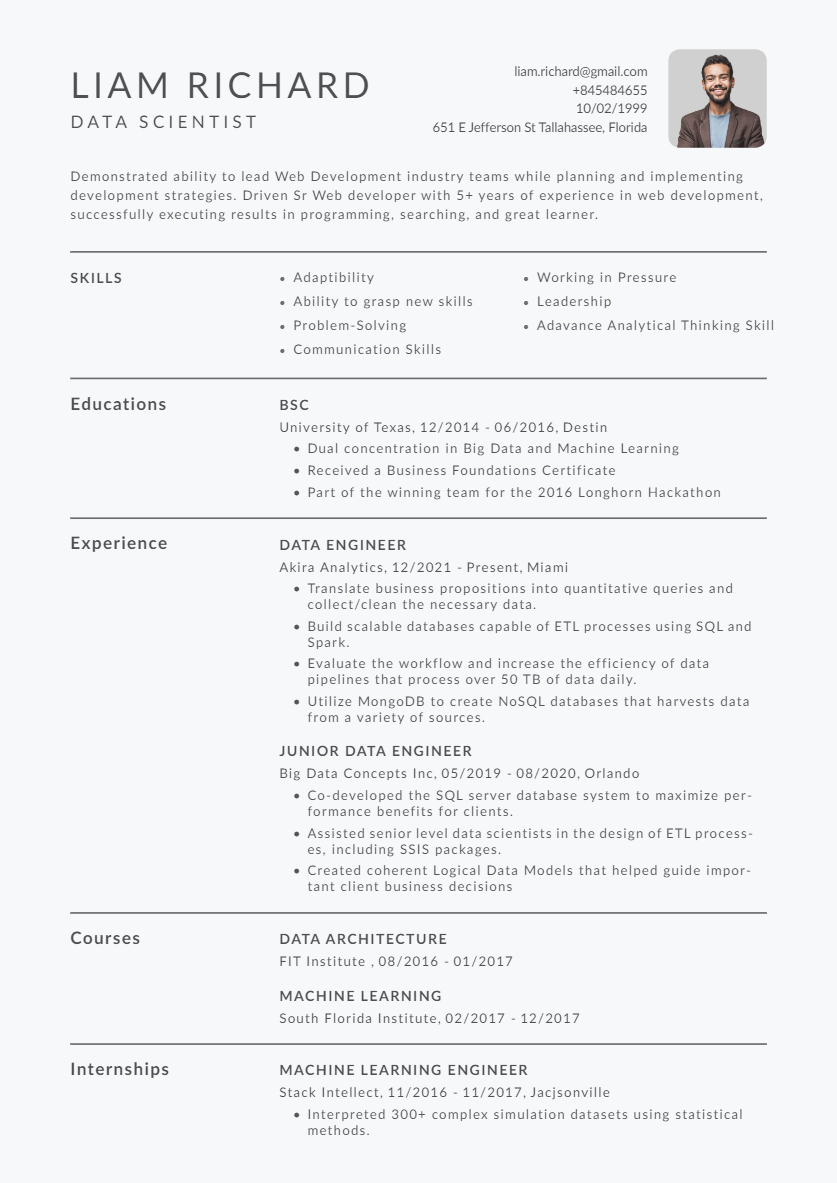
Best for: Software engineers, data analysts, IT specialists
AI Tip: AI resume builders can suggest high-impact technical keywords.
#16. Combined Resume Template
Blends functional and chronological elements for flexibility.
Best for: Professionals with diverse experience
ATS Benefit: Maintains structure while showcasing strengths strategically.
How Does an ATS Work?
An Applicant Tracking System (ATS) is software employers use to manage and filter job applications. Instead of manually reviewing every resume, recruiters rely on an ATS resume scanner to organize, parse, and rank candidates automatically.
Here’s how the process typically works:
1. Resume Parsing
When you submit your resume, the ATS scans the document and breaks it into structured data. It identifies sections like Work Experience, Skills, Education, and Certifications. If your formatting is complex or non-standard, important details may not be extracted correctly.
This is why using an ATS optimized resume format is critical clean structure ensures accurate parsing.
2. Keyword Matching
After parsing, the system compares your resume to the job description. It looks for relevant skills, tools, job titles, and qualifications. This is where resume keyword matching plays a major role.
For example, if a job description mentions “project management,” “data analysis,” or specific software tools, the ATS checks whether those terms appear naturally in your resume.
3. Ranking & Scoring
Many systems assign a score based on keyword alignment, experience relevance, and formatting quality. Resumes that match more closely are ranked higher and shown to recruiters first.
AI-powered platforms now enhance this process through AI resume optimization, helping candidates align their resumes more accurately with job requirements.
4. Recruiter Review
Only after the ATS filters and ranks applications does a recruiter review the shortlisted resumes. If your document isn’t formatted properly or lacks relevant keywords, it may never reach this stage.
This entire process is why using an ATS resume builder or AI resume builder can significantly improve your chances. These tools are designed to ensure your resume is structured correctly, optimized for keywords, and compatible with modern applicant tracking systems.
Entry-Level Business Analyst Resume

7 Tips to Make Your Resume ATS-Friendly
Even the best experience can go unnoticed if your resume isn’t optimized for applicant tracking systems. Follow these proven strategies to ensure your resume passes an ATS resume scanner and reaches a recruiter.
1. Use Standard Section Headings
Stick to clear, conventional headings like:
 Work Experience
- Skills
- Education
- Certifications
Avoid creative titles like “My Journey” or “Where I’ve Worked.” ATS software recognizes standard headings more accurately, improving resume parsing.
2. Choose a Simple, Clean Format
Use a single-column layout with consistent spacing and professional fonts. Avoid:
- Tables
- Text boxes
- Graphics
- Icons
- Columns
A clean ATS optimized resume format ensures your content is read in the correct order.
3. Match Keywords from the Job Description
Carefully review the job listing and identify required skills, tools, and qualifications. Use those exact phrases naturally throughout your resume.
Strong resume keyword matching increases your ranking within applicant tracking systems.
4. Optimize Your Skills Section
Create a dedicated skills section that includes:
- Technical skills
- Industry tools
- Relevant certifications
- Core competencies
This makes it easier for the ATS resume scanner to detect qualifications quickly.
5. Use the Right File Format
Most systems prefer DOCX or properly formatted PDF files. Avoid image-based PDFs or unusual file types that may cause parsing errors.
6. Avoid Keyword Stuffing
While keywords are important, overloading your resume with repeated terms can hurt readability and credibility. Focus on natural placement and context.
Modern AI resume optimization tools can help balance keyword density without making your resume sound robotic.
7. Use an ATS Resume Builder
The easiest way to avoid formatting mistakes is to use an ATS resume builder or AI resume builder. These platforms:
- Apply ATS-friendly formatting automatically
- Suggest relevant keywords
- Structure your resume correctly
- Improve compatibility with applicant tracking systems
Using a smart resume builder for jobs saves time and reduces technical errors.
How to Tailor Your ATS-Friendly Resume to a Job
Using an ATS-friendly template is the foundation. Tailoring your resume for each job application is what truly improves your ranking inside applicant tracking systems. You can directly make a tailored resume according to the job description using instaresume tailor your resume feature, you just have to paste the job description in job description section and upload your previous resume. The tool will use ai resume building technology to make your tailored resume.
Here’s how to do it effectively:
1. Analyze the Job Description Carefully
Start by identifying:
- Required skills
- Preferred qualifications
- Tools or software mentioned
- Repeated keywords and phrases
If a skill appears multiple times, it’s likely weighted heavily by the ATS resume scanner.
2. Match Keywords Naturally
Incorporate relevant terms into your:
- Professional summary
- Skills section
- Work experience bullet points
Strong resume keyword matching increases your chances of ranking higher. However, avoid copying the job description word-for-word. Instead, align your experience with the required language in a natural way.
3. Customize Your Professional Summary
Your summary should reflect the role you’re applying for. Adjust:
- Job title
- Core skills
- Years of experience
- Industry focus
This ensures immediate relevance when the ATS parses your resume.
4. Reorder Skills Based on Priority
Place the most relevant skills at the top of your skills section. Applicant tracking systems often assign weight based on keyword placement and frequency.
5. Highlight Relevant Achievements
Instead of listing generic responsibilities, showcase results that directly connect to the job description. Use measurable outcomes when possible.
For example:
- Increased sales by 25%
- Reduced processing time by 30%
- Managed cross-functional teams of 10+
This improves both ATS scoring and recruiter impact.
6. Use an AI Resume Builder for Optimization
An advanced AI resume builder can analyze job descriptions and suggest relevant keywords automatically. This supports smarter AI resume optimization, ensuring your resume stays aligned with applicant tracking system requirements without sounding forced.
Tailoring your resume doesn’t mean rewriting everything — it means strategically adjusting content to match each opportunity.
Where Do I Use Resume Keywords?
Resume keywords help applicant tracking systems understand your experience and match your profile to job requirements. Placing them in the right sections improves resume parsing accuracy and strengthens your overall ranking.
Here are the most important areas where resume keywords should appear:
1. Professional Summary
Your professional summary is one of the first sections scanned by an ATS. Including your primary job title, core skills, and industry-specific terms here immediately establishes relevance.
Example:
“Results-driven project manager with experience in cross-functional collaboration, risk management, and process optimization.”
2. Work Experience Section
This is the most heavily weighted section in ATS scans. Use keywords naturally within bullet points that describe your responsibilities and achievements.
Focus on:
- Job titles
- Tools and technologies
- Role-specific skills
- Action verbs aligned with the job description
Strong resume keyword matching here significantly improves ATS scoring.
3. Skills Section
A dedicated skills section makes it easier for an ATS resume scanner to identify your qualifications quickly. Include:
- Technical skills
- Software tools
- Certifications
- Industry-relevant competencies
Keep this section clean and aligned with the job description.
4. Education & Certifications
Degrees, certifications, licenses, and training programs often act as filtering criteria. Use exact names and recognized terms to ensure accurate parsing.
5. Job Titles & Headings
Always use standard job titles rather than creative alternatives. ATS software compares job titles directly against role requirements.
For example, use “Digital Marketing Specialist” instead of “Growth Ninja.”
Placing keywords in these sections ensures your resume is both ATS-friendly and recruiter-readable.
How to Use Resume Keywords Properly
Using resume keywords correctly is about analyzing the job description, selecting relevant terms, and placing them strategically across your resume sections not randomly repeating words.
Below is a simple 3-step framework with clear examples from different industries.
Step 1: Extract Keywords from the Job Description
Start by identifying:
- Required skills
- Tools & technologies
- Certifications
- Industry terms
- Action verbs
- Soft skills mentioned repeatedly
Example 1: Technology Job Description
JD Snippet:
Looking for a Software Developer with experience in Python, REST APIs, AWS cloud services, SQL databases, Agile methodology, and CI/CD pipelines.
Keywords Identified:
- Python
- REST APIs
- AWS
- SQL
- Agile methodology
- CI/CD pipelines
Step 2: Match Keywords to the Right Resume Sections
Different types of keywords belong in different sections.
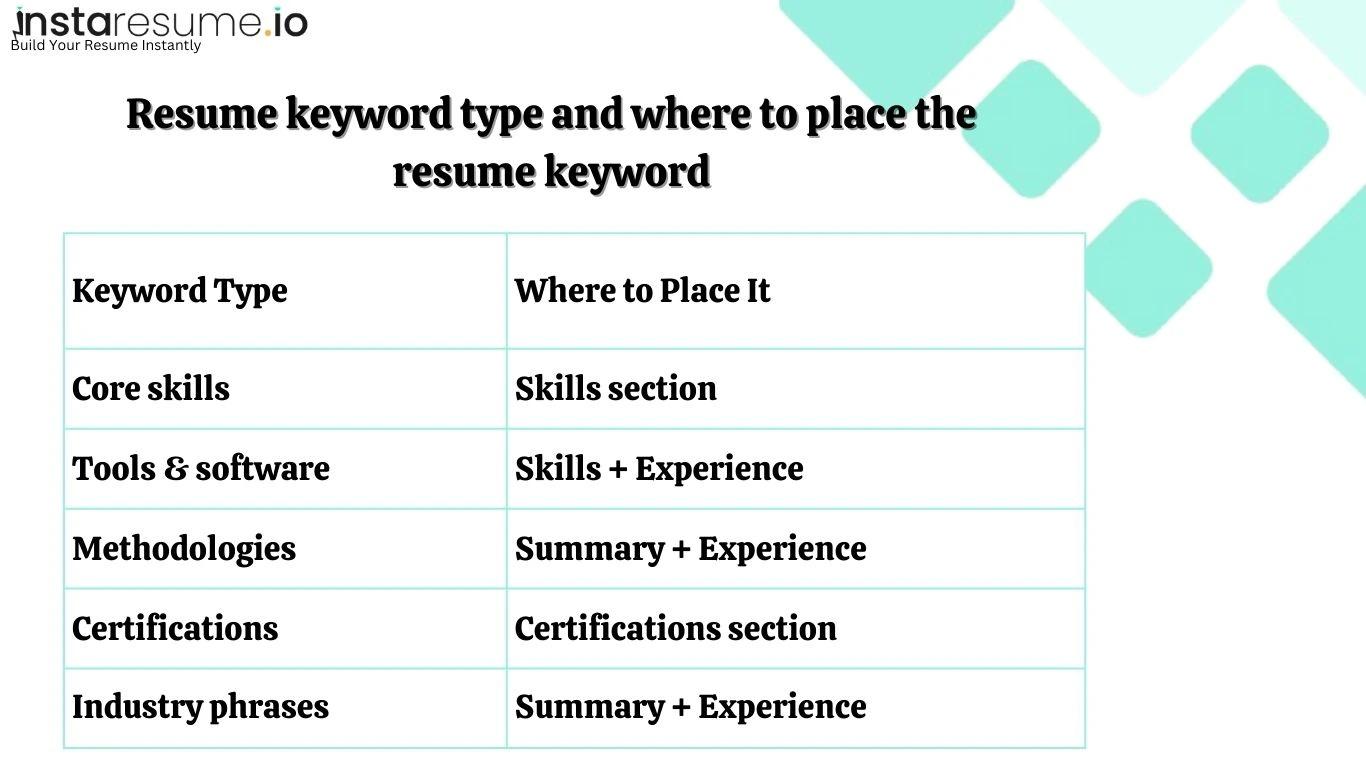
Now let’s apply this properly.
Example 1: Software Developer Resume Integration
Professional Summary
Software Developer with 4+ years of experience in Python development, building REST APIs, and deploying applications on AWS cloud platforms. Experienced in Agile environments and implementing CI/CD pipelines.
Skills Section
- Python Programming
- REST API Development
- AWS Cloud Services
- SQL Database Management
- Agile Methodology
- CI/CD Pipelines
Work Experience
Developed scalable REST APIs using Python, optimized SQL databases, and deployed applications via AWS cloud infrastructure while collaborating in an Agile Scrum team.
Notice:
The keywords are distributed logically — not stuffed into one section.
Step 3: Adapt Keywords Naturally (Don’t Copy-Paste)
Use the same terminology but rewrite it naturally into achievement-based bullet points.
Healthcare Example
JD Snippet:
Seeking a Registered Nurse skilled in patient assessment, EHR documentation, medication administration, infection control, and care coordination.
Integrating keywords in different sections of resume
Resume Summary
Registered Nurse experienced in patient assessment, medication administration, and maintaining accurate EHR documentation.
Skills
- Patient Assessment
- EHR Systems
- Infection Control Protocols
- Care Coordination
Experience
Performed comprehensive patient assessments, ensured proper medication administration, and maintained compliance with infection control standards.
Marketing Example
JD Snippet:
Hiring a Digital Marketing Specialist with expertise in SEO, Google Analytics, PPC campaigns, content marketing, and conversion rate optimization.
Integrating keywords in different sections of resume
Summary
Digital Marketing Specialist specializing in SEO strategy, PPC campaigns, and conversion rate optimization, utilizing Google Analytics for performance tracking.
Experience
Managed multi-channel PPC campaigns, implemented SEO-driven content marketing strategies, and increased website traffic by 40% through conversion rate optimization.
Finance Example
JD Snippet:
Financial Analyst with experience in financial modeling, forecasting, variance analysis, budgeting, and advanced Excel skills.
Integrating keywords in different sections of resume
Summary
Financial Analyst skilled in financial modeling, forecasting, and variance analysis, leveraging advanced Excel functions to support budgeting decisions.
Experience
Built detailed financial models, conducted variance analysis, and automated forecasting dashboards using advanced Excel formulas.
FAQs About ATS-Friendly Resume Templates
1. What is an ATS-friendly resume template?
An ATS-friendly resume template is a structured format designed to be easily read by applicant tracking systems. It uses clean formatting, standard headings, and keyword-friendly sections to ensure accurate parsing and ranking in an ATS resume scanner.
Unlike visually complex resumes, an ATS optimized resume format prioritizes structure over design to improve compatibility with applicant tracking software.
2. Do I really need an ATS resume builder?
While you can create a resume manually, using an ATS resume builder significantly reduces formatting errors. These tools automatically apply proper structure, spacing, and section headings that align with applicant tracking systems.
A resume builder for jobs also helps ensure your document is optimized before submission.
3. Are AI resume builders ATS-friendly?
Yes — most modern AI resume builder platforms are built with ATS compatibility in mind. They assist with:
- Keyword suggestions
- Formatting alignment
- Job description analysis
- Resume keyword matching
AI resume optimization helps increase your chances of passing automated screening without keyword stuffing.
4. Can an ATS read PDF resumes?
Most modern applicant tracking systems can read properly formatted PDF files. However, image-based PDFs or heavily designed templates may cause parsing issues.
When in doubt, use a clean DOCX file generated by a trusted resume builder online.
5. How many keywords should I include in an ATS resume?
There’s no fixed number, but your resume should naturally include relevant job-specific keywords across:
- Professional summary
- Work experience
- Skills section
The goal is accurate resume keyword matching, not repetition.
6. Do creative resume templates pass ATS scans?
Some creative templates can pass ATS screening if they maintain a simple structure. However, heavy graphics, columns, and text boxes often interfere with parsing.
For maximum reliability, choose a clean ATS-friendly resume template.
7. How long should an ATS-friendly resume be?
For most professionals, one to two pages is ideal. The key is relevance and clarity — not length. An ATS optimized resume format ensures all critical information is structured properly within that space.