How to Quickly Update Old Paper-Based Resumes

Trust Score: 4.8
389 reviews
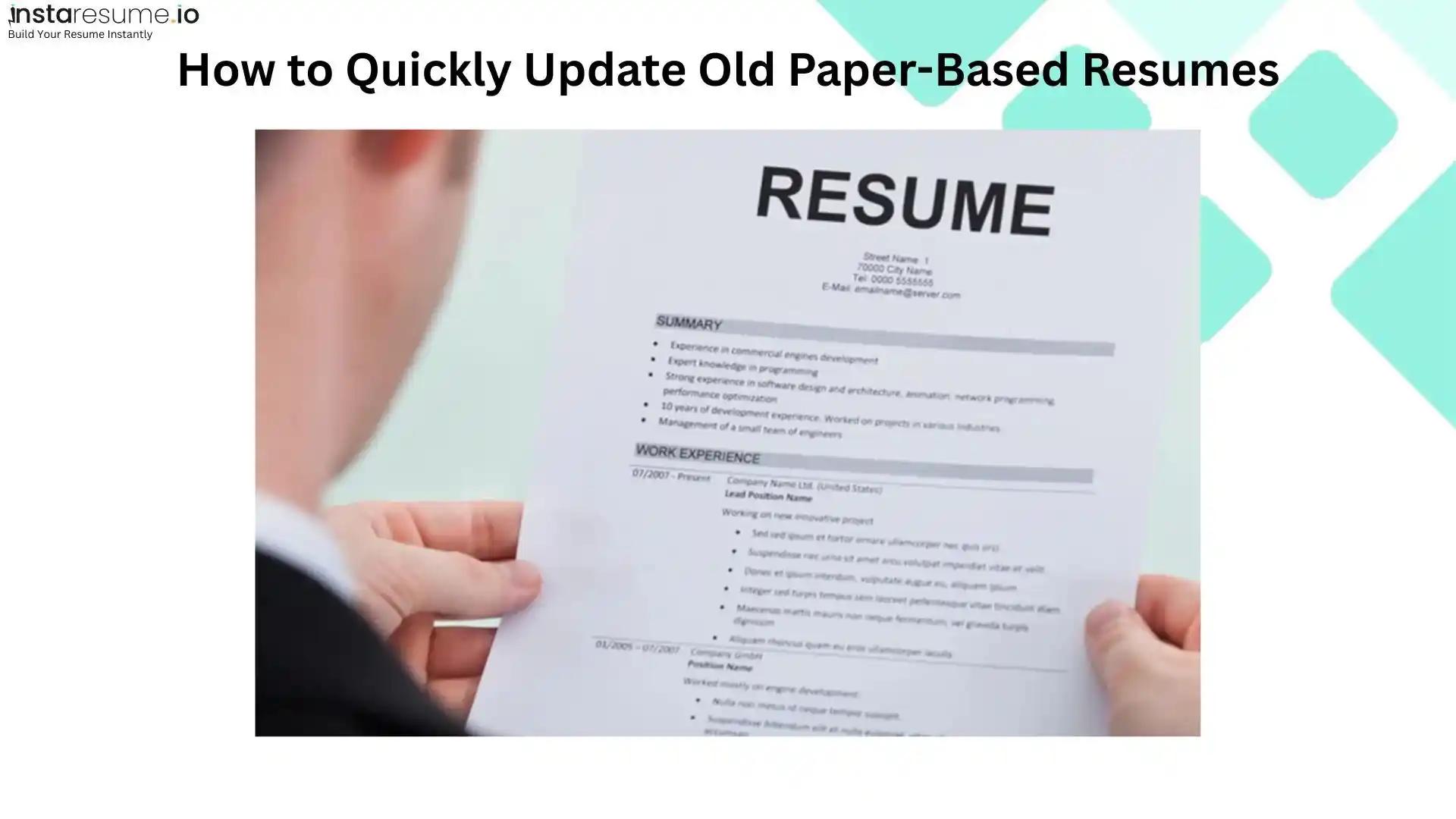
An old resume may contain your best work, but it fails to show who you are today. It may show your very first job or an old address where you don't live anymore. It may contain a list of skills that are no longer relevant to what you do today. People usually figure this out when they're hunting for a job. They struggle to keep their resumes regularly updated as they think it’s a tough challenge. They think it takes so much time and effort.
But in fact, technology has now made it quick and easy. Say goodbye to wasting so much time manually doing everything. With a few content and layout changes, you can quickly update your old resume.
Don’t worry if your resume is printed on paper. You can convert it into a scanned image, and then make its text editable and start updating it. That's how simple this process is. In this article, I'll practically show you how to do it.
Scan Your Old Resume
Start with this important step. Find out the most recent version of your old resume that might be lying inside cupboards or drawers collecting dust. Now, we have to convert it into a digital version. You can easily do this with the help of your phone’s camera or a scanning app. The main goal is to get a clear picture so that we can convert its text into an editable form later.
For best results while scanning your resume, keep these tips in mind:
 Place the paper on a flat surface
- Make sure the paper is fully visible and not cropped from any side.
- Ensure proper lighting with no shadows or glare
- Check that the text is sharp and readable before saving
Save the image in JPG format
Extract Editable Text from Scanned Resume
After reviewing and scanning your old resume, it’s time to make its text editable. Because you cannot directly update the text of the scanned image. You need its text in an editable form so you can update it.
Now, how do we turn that picture into text? The answer is simple: use an online tool that uses OCR technology. Image-to-text converter tools can easily extract text from images and provide it in editable form. Let’s do it with practical steps.
- Go to your browser and search for “picture to text”. Many tools will appear in the search results. You can choose any of those online tools. I did the same and chose an image to text converter tool that I found reliable in my testing. That’s how the tool’s interface looks:
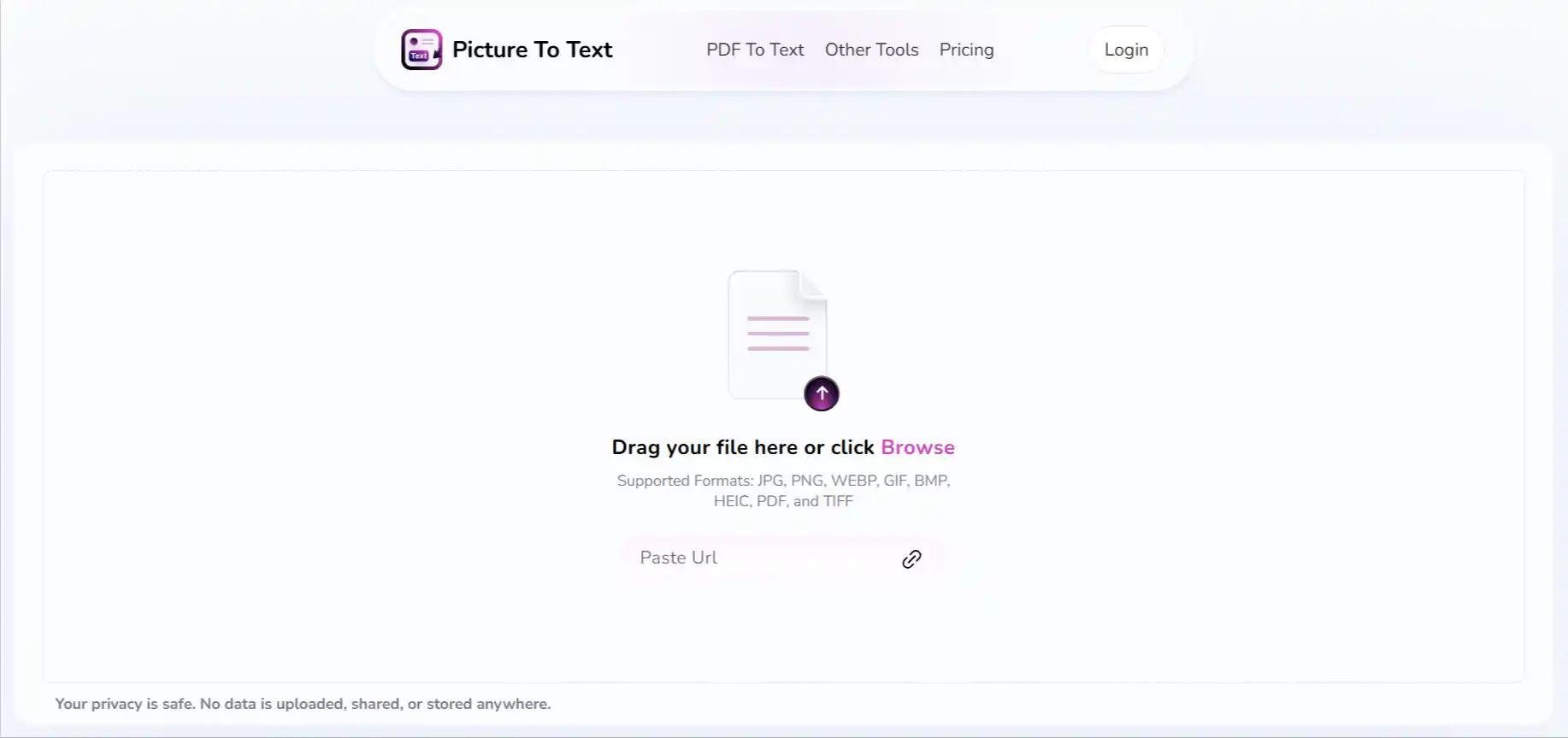
- After accessing the picture to text conversion tool, the next step is to upload the old resume picture. Click on “Browse” and upload the image. Whether it’s a JPG, PNG, WEBP, GIF, BMP, HEIC, PDF, or TIFF, you can easily upload it. Once it's uploaded, you'll see your image on the right side of the screen. That means it's good to go for conversion.
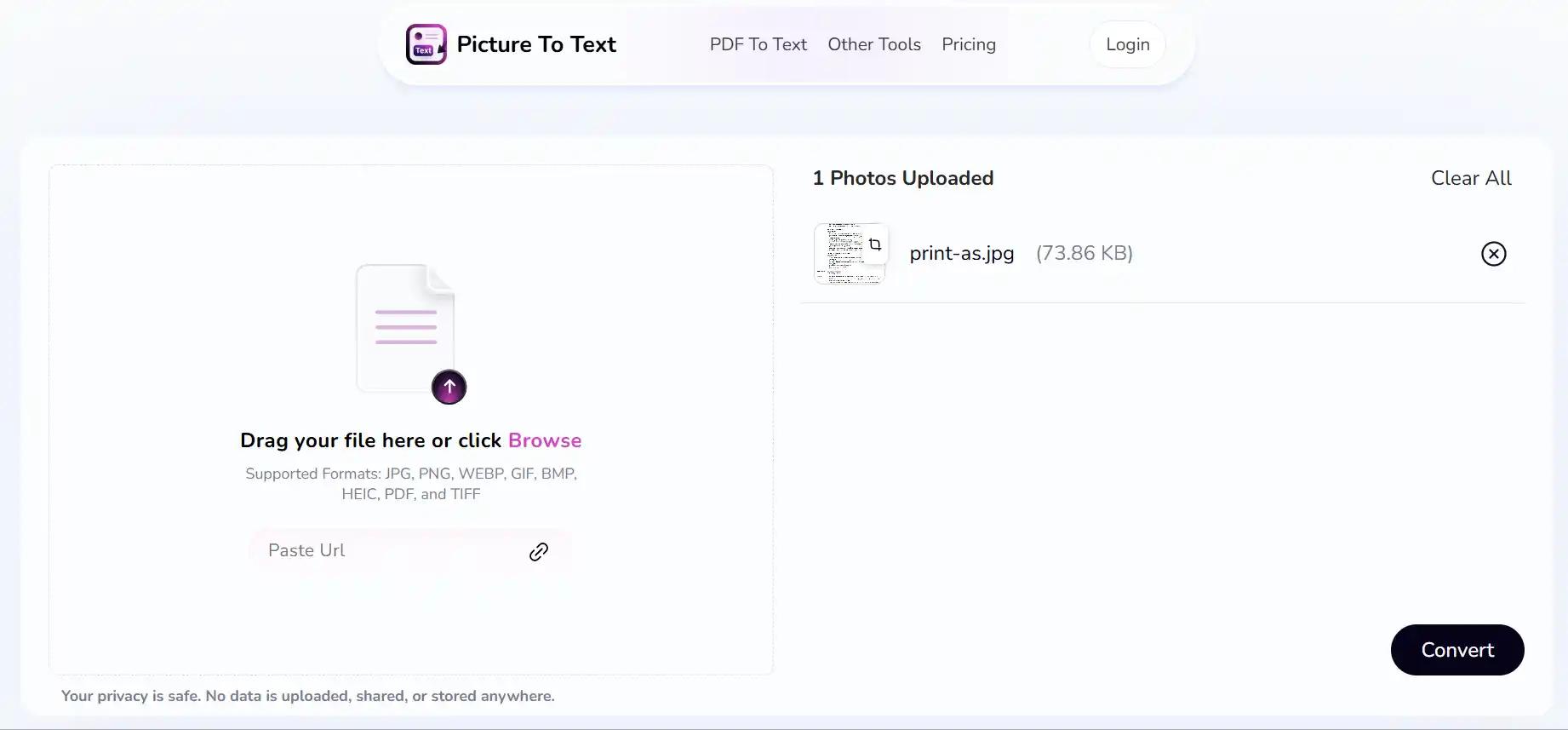
- Now, simply press that “convert” button, and the tool will scan your picture’s text and extract it in no time. You'll see the extracted text appear on your screen, looking like this:
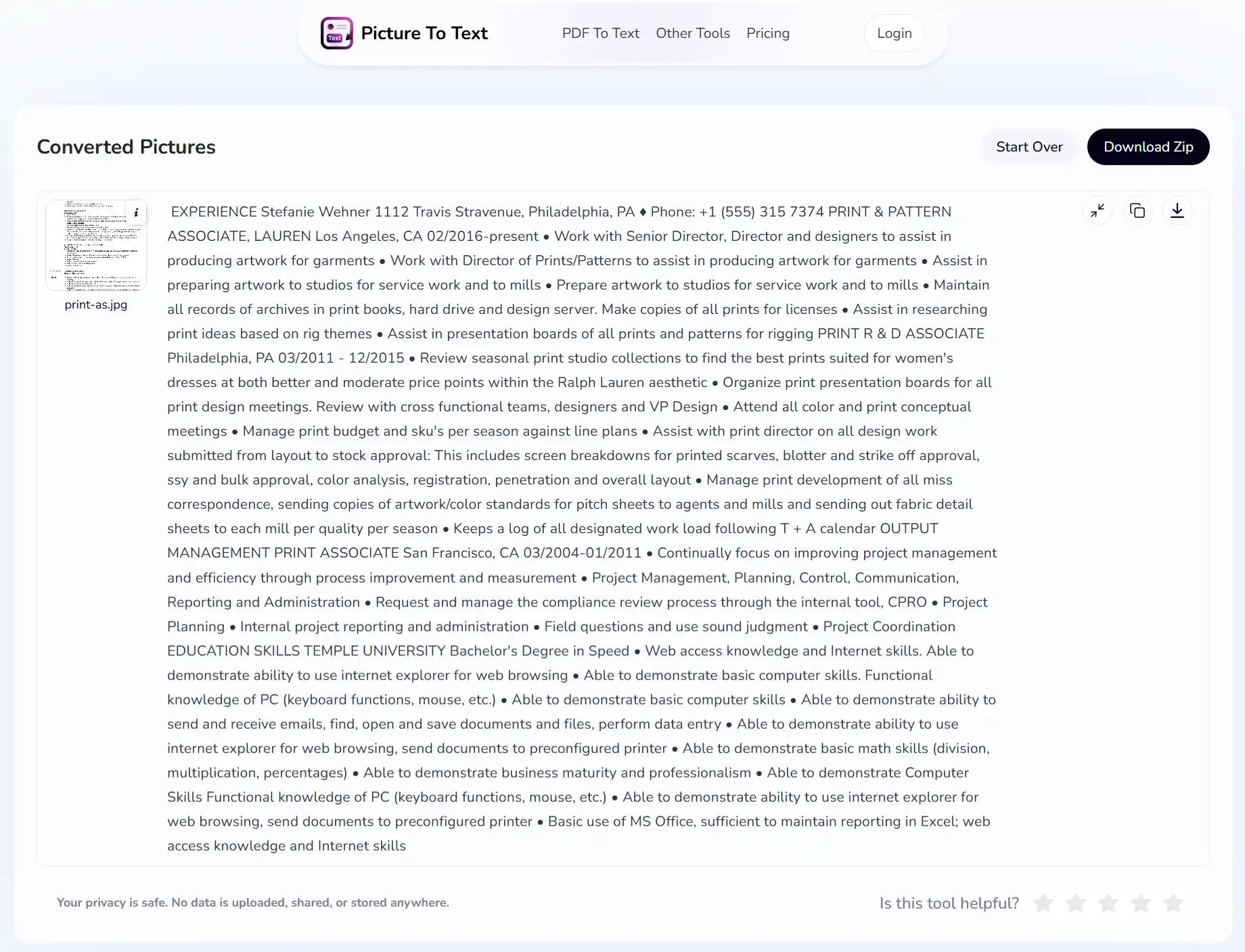
Your text is ready to be copied or downloaded. That’s all it takes to make the text inside your old resume ready to edit and update. This simple process can save you hours of manual typing. This not only saves time but also ensures that you don’t miss any information from your old resume.
Upload & Convert Your Existing Resume
If you already have your resume in PDF, DOCX, or plain text format (even exported from a scan), you don’t need to start from scratch. Instaresume.io Upload Existing Resume feature simplifies the process. Here’s how it works, step by step:
Login to Instaresume.io
First, sign in to your InstaResume account or create one if you haven’t yet.
Start a New Resume Project
Click on “Create Resume” in your dashboard to begin.
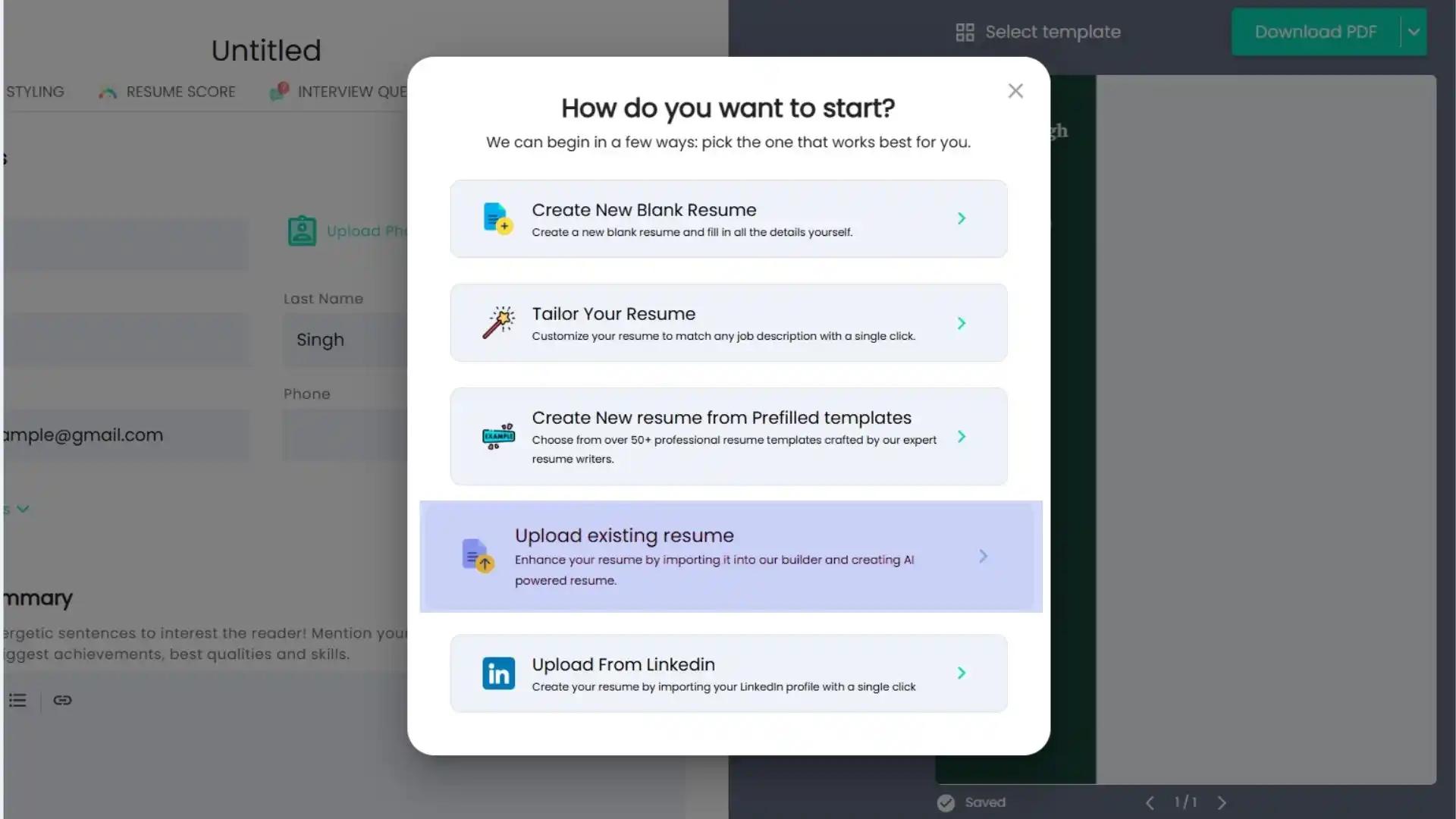
Upload Your Existing Resume File
Choose the option to upload an existing file. You can upload a PDF, DOCX, or text file.
Auto Conversion Into a Template
Our resume builder automatically scans your uploaded resume and organizes sections like Work Experience, Education, Skills, and Professional Summary into a clean, editable layout.
Edit, Fine-Tune & Format (with AI Assistance)
Once your content appears in the modern template, you can easily refine it using our AI Resume Editor.
- Instantly improve your Professional Summary with AI-suggested phrasing that highlights your key strengths.
- Polish your Employment History with impact-driven bullet points.
- Enhance your Skills section with AI recommendations tailored to your job title or industry.
The AI ensures your resume sounds professional, keyword-optimized, and ready to impress recruiters and ATS systems alike.
Download / Export Your Upgraded Resume
After refining your content and choosing a design you love, export the finished resume in your preferred format — PDF, DOCX, or text.
Update the Resume Content With MS Word
Now that the text is editable and you can modify your old resume easily.
- Access the resume text in a word processing editor like MS Word.
- Go through and replace all the old information with the latest one. This could include outdated details like an old phone number or an address where you no longer live. It may be some job titles or skills that don’t fit the role you are applying for.
But don't just put in the new details, make the wording clearer and professional too. For example:
- Instead of writing: "Managed a team to complete projects"
- Write: "Led a 30-member team to complete projects before deadline"
This is how you can change your resume and make it more impactful. Now think about the format. Your current resume might seem dated and have large chunks of text. Fix such formatting issues and use a clean structure. Make sure it is optimized for ATS (Applicant Tracking Systems). Modern resumes in 2025 are simpler with minimal designs and better readability, according to ResumeBuilder.
An updated and well-structured resume doesn't just list your experience; it also shows how you've developed professionally over time.
Try our ATS resume checker for better resume optimization.
Final Thoughts
Updating your resume shouldn’t be a pain. The use of technology, with some easy steps, can quickly change an old resume into something professional and up-to-date. Each step mentioned in this article is equally important to make sure that your resume totally reflects the person you are today.
Always remember, your resume isn't a random file sitting around. It's like a living document that grows with your experiences. Make a habit of updating it regularly. So that you are always ready for new opportunities without freaking out with last-minute changes.